Mar 31, 2026
Understand what does WD mean in golf, its differences from DQ/DNS, and impact on 2026 tournament scoring and payouts. A clear guide for organizers.

You’ve probably seen it on a leaderboard before: two little letters next to a player's name that throw everything off. So, what does 'WD' actually mean?
It’s simple: WD stands for Withdrawn. This is the official tag for any player who starts a tournament but has to pull out before they can finish all the scheduled rounds.
Decoding WD in Golf and Why It Matters
Think of it like a runner in a marathon who's already hit the 10-mile mark but has to stop because of a sudden injury. They were in the race, they posted some split times, but they won't be crossing the finish line. That’s a WD in golf. The player has teed off and is officially in the competition, but something prevents them from completing it.
For tournament organizers, understanding and correctly marking a WD is critical. It keeps the leaderboard accurate and ensures the competition remains fair for everyone still playing. When a player withdraws, their name stays on the board with the 'WD' status, but their partial scores don't impact the final standings or prize money. It's a way of acknowledging their participation without skewing the results. You can find more details on official terminology in this helpful golf glossary.
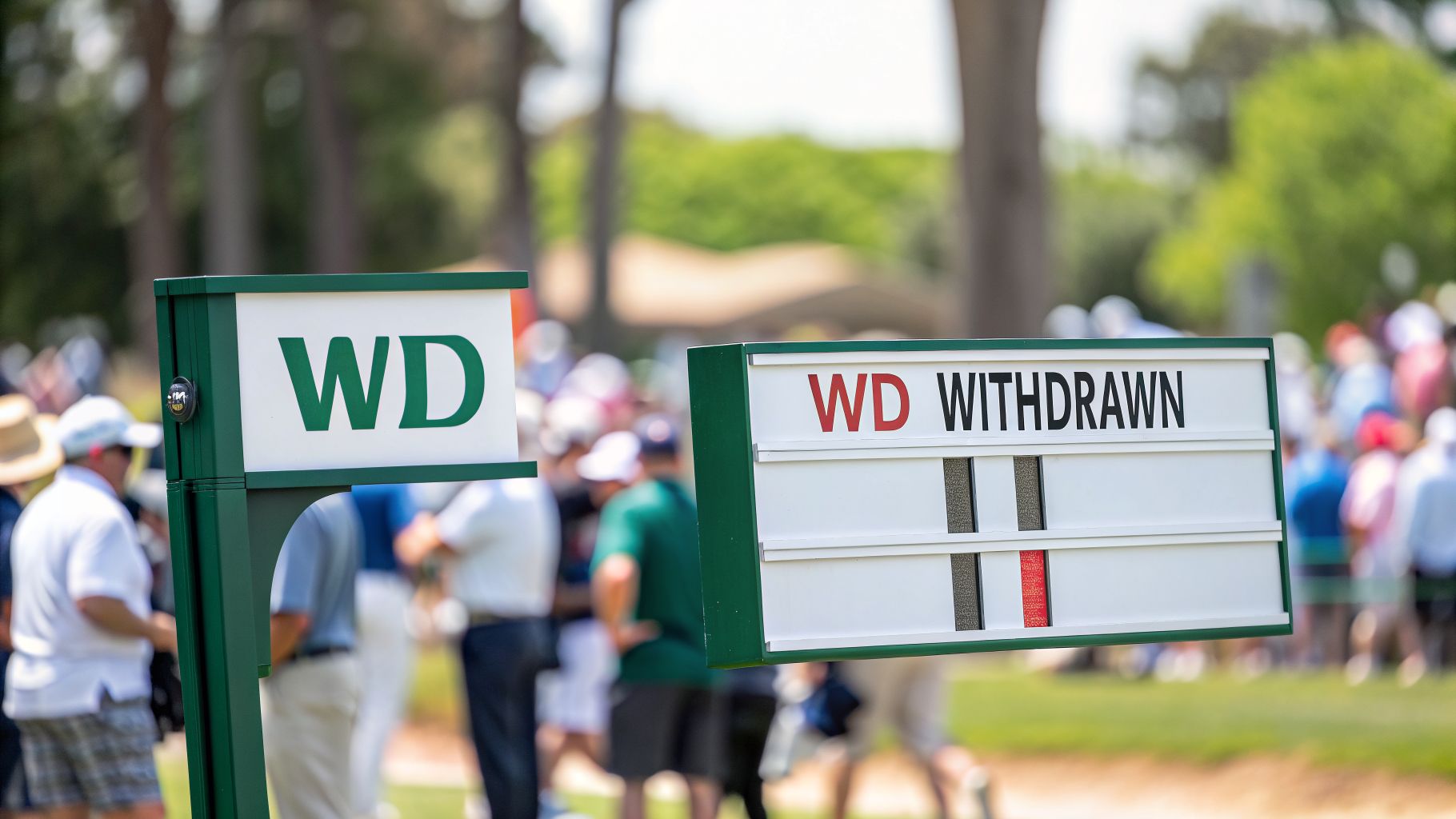
Why Does a Player Withdraw?
No golfer wants to withdraw from an event. The decision is almost always forced by circumstances they can't control. It’s a tough call, but sometimes it's the only one to make.
Here are a few of the most common reasons:
Sudden Injury: A tweaked back on a swing, a nagging wrist problem that flares up, or any other physical issue can make it impossible—or unsafe—to keep playing.
Unexpected Illness: Sometimes you just get sick. A player might feel fine on the first tee but develop a fever or stomach bug mid-round that takes them out of the game.
Urgent Personal Matter: Life happens off the course, too. A family emergency or another serious personal event can rightly take precedence over finishing a round of golf.
Getting these player statuses right is a fundamental part of running a professional-feeling tournament. To get a better handle on how all scores are tracked, check out our complete guide on scoring in golf explained.
WD vs. DQ, DNS, and DNF: Understanding the Key Differences
On a golf leaderboard, a string of letters next to a player's name tells a story. While they might look similar, codes like WD, DQ, DNS, and DNF each have a very different meaning. Getting them right is crucial for any tournament organizer.
Let’s start with the most common one: WD, or Withdrawn. This happens when a player makes the conscious decision to pull out of an event after they’ve already started their round. It’s almost always for an unavoidable reason, like a sudden injury or illness. It's a formal, respectable way of bowing out.
Withdrawing is a regular, if unfortunate, part of competitive golf. Just look at the pros. Between 2015 and 2024, the PGA Tour saw over 2,100 WDs, which accounted for 1.8% of all tournament starts. If you want to dive deeper into those numbers, you can find more insights on tour trends here.
A DQ, on the other hand, is a much bigger deal. This means Disqualification, and it’s never the player’s choice. A DQ is a penalty handed down by the tournament committee for breaking a rule—anything from signing an incorrect scorecard to a more serious breach of conduct. It's a formal removal from the competition.
Other Important Distinctions
Beyond WD and DQ, two other statuses pop up that can cause some confusion. Getting these straight completes the picture.
DNS (Did Not Start): This one’s simple. The player was registered and on the tee sheet, but they never hit their first shot. They were a no-show for whatever reason.
DNF (Did Not Finish): This one can be tricky. While some use it interchangeably with WD, DNF often implies something different. It can signify a player who just stopped playing and walked off the course without formally telling a tournament official.
A player who properly notifies the committee gets a WD. But someone who just walks off the course without a word risks getting a DQ for a "No Card Returned" (NCR)—a serious breach of etiquette.
Using these statuses correctly is all about maintaining the integrity of your leaderboard. A WD is a neutral status reflecting a player’s tough decision. A DQ is a penalty. And DNS and DNF clarify whether a player even started or if they left without following the proper procedure.
How a WD Affects Scoring, Pairings, and Payouts
When a player has to withdraw from a tournament, it's more than just one person dropping out. For a tournament director, it kicks off a series of logistical challenges that need to be handled quickly and fairly.
The most immediate impact is on the leaderboard. A player with a WD next to their name is officially out of the running. That means they're no longer eligible for any prize money, ranking points, or the trophy. While you might keep their partial scores visible for transparency on a live leaderboard, they are completely removed from all final calculations. A WD won't change the cut line or affect the final scores of anyone else in the field.
This simple flowchart is a great guide for determining a player's official status based on when they stop playing.
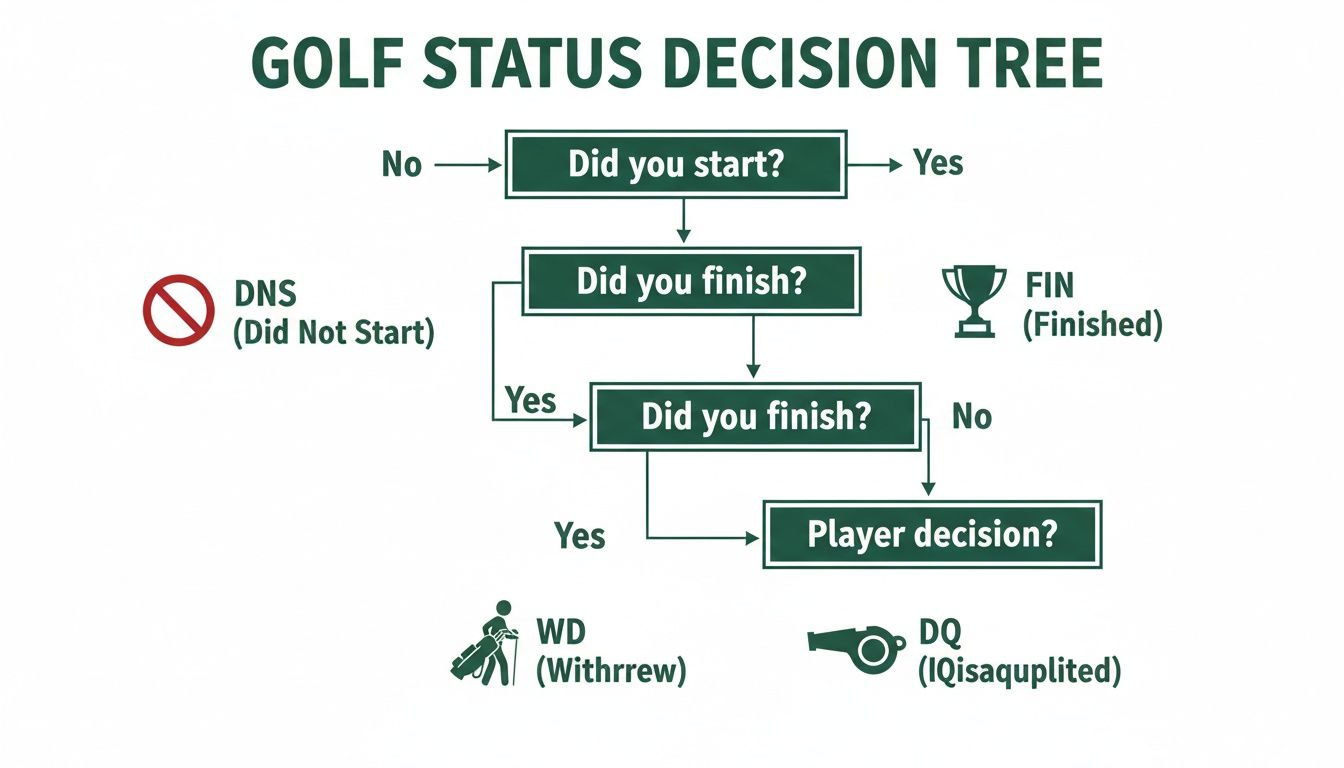
As you can see, a WD only happens after a player has started their round. It's the crucial difference between someone who never teed off (DNS) and someone who was disqualified (DQ).
The Ripple Effect on Pairings and Side Games
Beyond the main leaderboard, a withdrawal creates some practical headaches. If a player drops out mid-round, their playing partners simply finish the round as a twosome or threesome. But if the WD happens between rounds in a multi-day event, you’ve got to reshuffle future pairings to make sure no one is forced to play alone.
This scramble is nothing new. Withdrawals have been a part of tournament golf forever, with major championships averaging 0.9 WDs per event between 1950-2000. That number jumped to 1.4 after 2000 with the growth of the professional game. You can dig into how these stats and player data have evolved on sites like GolfWRX.
The real chaos, though, often comes from the side games. A withdrawal immediately brings up tricky questions:
Skins Game: If the player who had the only birdie on a hole withdraws, does that skin carry over or is it void?
Team Bets: In a two-person best ball, what happens when one partner has to WD? Is the team out, or can the remaining player continue alone?
There’s no single answer to these questions—it all comes down to the tournament rules. It is absolutely essential for organizers to have clear, pre-stated rules for how a WD affects all side competitions to prevent confusion and disputes on the course.
A Step-by-Step Guide to Managing a Player Withdrawal
Sooner or later, it’s going to happen. A player will walk up to you mid-round and say they have to pull out. How you handle that moment says a lot about how well-run your tournament is. Having a clear, professional playbook for a WD shows everyone—from the players to your staff—that the event is in good hands.
Let's walk through the right way to manage the situation.
It all starts with a simple conversation. The first thing you need to do is talk directly with the player to officially confirm they are withdrawing. It’s a small step, but it’s your chance to show a little empathy and make sure the information is 100% accurate before you start changing pairings and leaderboards.
Once you have that confirmation, it’s time to update the tournament record. This is where modern software completely changes the game.
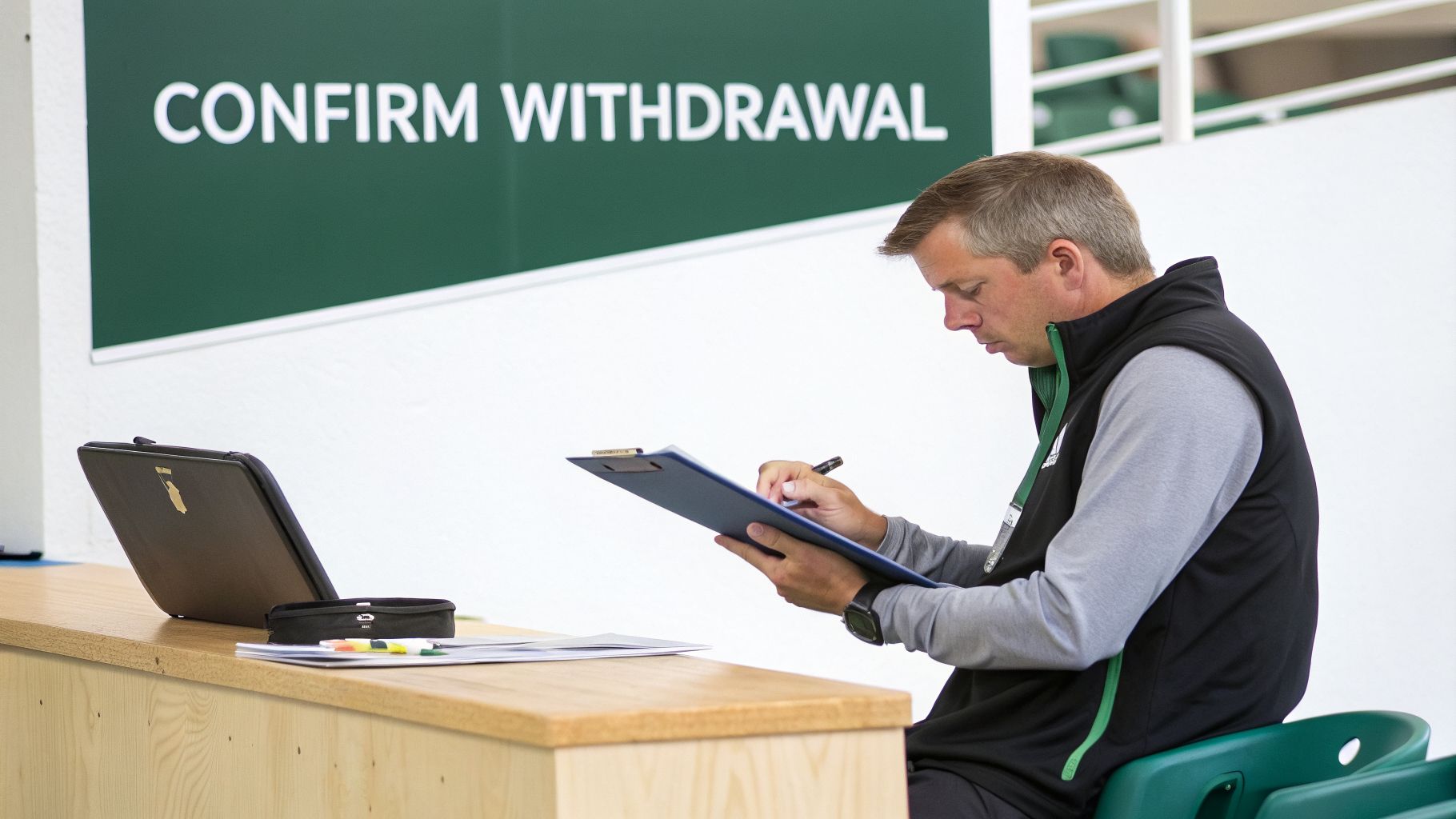
This image pretty much sums up the old way of doing things—clipboards, paper forms, and a whole lot of manual work to follow. Thankfully, with the right tools, what comes next is incredibly simple.
Taking Action and Communicating the Change
After you've confirmed the withdrawal, you can put away the pen and paper. Instead of frantically scribbling on pairings sheets or trying to recalculate things by hand, a tournament director can just mark the player as 'WD' in the system.
This single click sets off a chain reaction. The live leaderboard instantly updates with the player’s new status, pairings for future rounds are automatically rebalanced so no one has to play as a single, and even the prize payouts adjust on the fly.
This kind of automation is a lifesaver. It cuts down on the chaos and just about eliminates the risk of human error. If you're running events, you know how crucial that is. You can learn more about how this works and check out the benefits of modern golf tournament management software.
Here’s a quick rundown of the essential steps:
Confirm Directly: Always speak with the player first. Get a direct confirmation that they intend to withdraw before you do anything else.
Update the System: Mark the player as 'WD' in your tournament software. This is the key action that triggers all the updates.
Communicate Changes: Give the player's group a heads-up, and make sure any pairing adjustments for later rounds are clearly communicated to the field.
Following these steps turns what could be a stressful, chaotic moment into a smooth, professional process.
How Player Withdrawals Affect Handicap Scores
For any serious golfer, their handicap index is everything. It's the key to fair competition, so it’s no surprise we get a lot of questions about how a WD impacts it. The World Handicap System (WHS) has specific rules to handle this, and it all comes down to one thing: fairness.
The main factor is simple: how many holes did the player actually finish before withdrawing? For a score to count toward a handicap, a player has to complete a minimum number of holes. This is usually 9 holes for a 9-hole round or 14 holes for an 18-hole round.
How the WHS Handles Incomplete Rounds
If a player withdraws before hitting that minimum number of holes, the round is basically thrown out. From a WHS perspective, it’s like it never even happened. That partial score won’t be used in any handicap calculations.
A withdrawal for a valid reason won't blow up a player's handicap. The WHS has a smart, built-in way to account for unplayed holes to protect the integrity of their index.
But what happens if they play past that minimum threshold? Let's say someone completes 14 holes of an 18-hole round and then has to withdraw. In that case, the WHS has a clear process for creating an 18-hole Score Differential. It does this by generating an expected score for the holes they missed.
This "expected score" is usually net par. For instance, if a player with a Course Handicap of 18 withdraws after 15 holes, the system would simply add par + 1 for each of the last three holes. We dive deeper into the nuts and bolts of this in our guide on posting a golf score. This whole process takes the mystery out of what a WD means in golf, giving players and organizers a predictable way to handle it.
Frequently Asked Questions About WD in Golf
Okay, so you understand the basics of what a WD is. But what happens when the rubber meets the road? Let's tackle a few of the most common questions that pop up for players and organizers in the middle of a tournament.
Does a Player Get a Refund if They WD?
In most cases, the answer is a straightforward no. For competitive tournaments—from the pro tours all the way down to serious amateur events—your entry fee is typically locked in once play starts. A WD, even for a completely valid reason like an injury, usually won't get you a refund.
For charity events or corporate outings, things are a bit different. The refund policy is completely at the organizer's discretion. The key is to be crystal clear about your policy in all your event info to prevent any awkward conversations later.
Can a Player Withdraw Before the Tournament Starts?
They certainly can, but it's not technically a WD. When a player pulls out before their first tee shot, they are marked as "Did Not Start" (DNS) or simply taken off the pairings list.
The WD designation is reserved exclusively for players who have officially started their round and can't complete it.
What Happens in a Team Event if One Player Has to WD?
This is where having your "Conditions of Competition" buttoned up beforehand is a lifesaver. The answer depends entirely on the rules you've set.
Some formats, like a Four-Ball, might let the remaining partner play on as a solo act. In others, like a true alternate shot, one player withdrawing means the whole team is out. There's no right or wrong answer, but you absolutely must have a rule in place.
Do I Need to Notify Someone if I Withdraw?
Yes, one hundred percent. To be officially recorded as a WD, you have to let a tournament official or a committee member know you're pulling out.
Just walking off the course is a big breach of etiquette. Doing so will almost certainly get you a Disqualification (DQ) for a "No Card Returned" (NCR) infraction, which is a much bigger deal than a simple WD.
Managing these unexpected hiccups is way easier when you have the right tools. With Live Tourney, you can change a player's status, instantly re-work pairings, and update leaderboards in seconds—all from a dead-simple, web-based platform. Try it for yourself at https://livetourney.com.