
May 4, 2026
Find golfer handicaps fast with our ghin lookup name state guide. Fix errors, manage rosters, and streamline your golf events. Get started now for 2026.

The usual mess starts the same way. Registration closes, the roster looks mostly done, and then you notice missing handicaps, duplicate names, and players who swear they have a GHIN but can’t tell you exactly how it appears in the system.
That’s where ghin lookup name state stops being a minor admin task and becomes one of the most important parts of running a fair event. If you get it right early, pairings go out cleanly, flights make sense, and nobody is arguing at the scoreboard. If you get it wrong, you spend tournament morning chasing spelling issues and membership questions instead of running the event.
Why Accurate GHIN Lookups are a Tournament Lifesaver
You see the problem at the worst possible time. Pairings are almost ready, a player calls asking why his index looks wrong, and two entries with nearly the same name appear to be the same person. One bad match can spill into flights, allowances, and results.
For tournament staff, accurate GHIN lookup work is not just clerical cleanup. It is how you keep the competition fair and avoid preventable disputes. Name-and-state searches sound simple, but they break down fast when a player registers under a nickname, uses an old home club, or leaves out the exact spelling tied to the association record.
Fair competition starts with one accurate record
A tournament can survive a late scratch or a weather delay. It gets much messier when the handicap record attached to a player is wrong.
When the roster is built on verified GHIN records, staff can:
Set flights and allowances correctly using the right player record
Confirm eligibility faster for events that require an active Handicap Index
Cut down on scoreboard disputes because the index came from an official source, not a guess
Verify guest details more cleanly when club affiliation or association membership affects entry status
Practical rule: If handicap affects the format, confirm the record before pairings, not after check-in.
That discipline became more important once GHIN aligned with the World Handicap System. The system now sits inside a broader handicap framework, so small lookup errors can carry through multiple parts of event setup, from eligibility checks to net calculations.
Bad lookup habits cost time
The common failure point is timing. Staff leave handicap verification until the roster feels "close enough," then spend tournament morning sorting out duplicate names, inactive records, and players who insist the system is wrong.
The harder part is that the tool is not always the problem. The input is. A search can fail because the player entered "Mike" instead of "Michael," used a spouse's last name from an old record, or selected a state that reflects residence instead of the association tied to the GHIN account. Those are routine tournament-day issues, and basic guides usually skip them.
Accurate GHIN lookups save time because they give organizers a repeatable way to resolve those gray areas before they affect the event. That is the payoff. Less guesswork, fewer last-minute corrections, and a roster you can trust when it is time to start play.
Understanding Your GHIN Lookup Toolkit
At 6:30 on tournament morning, the problem is rarely "the GHIN system is down." The problem is that staff are using the wrong GHIN tool for the job, then wasting time trying to force a roster task through a public search box.
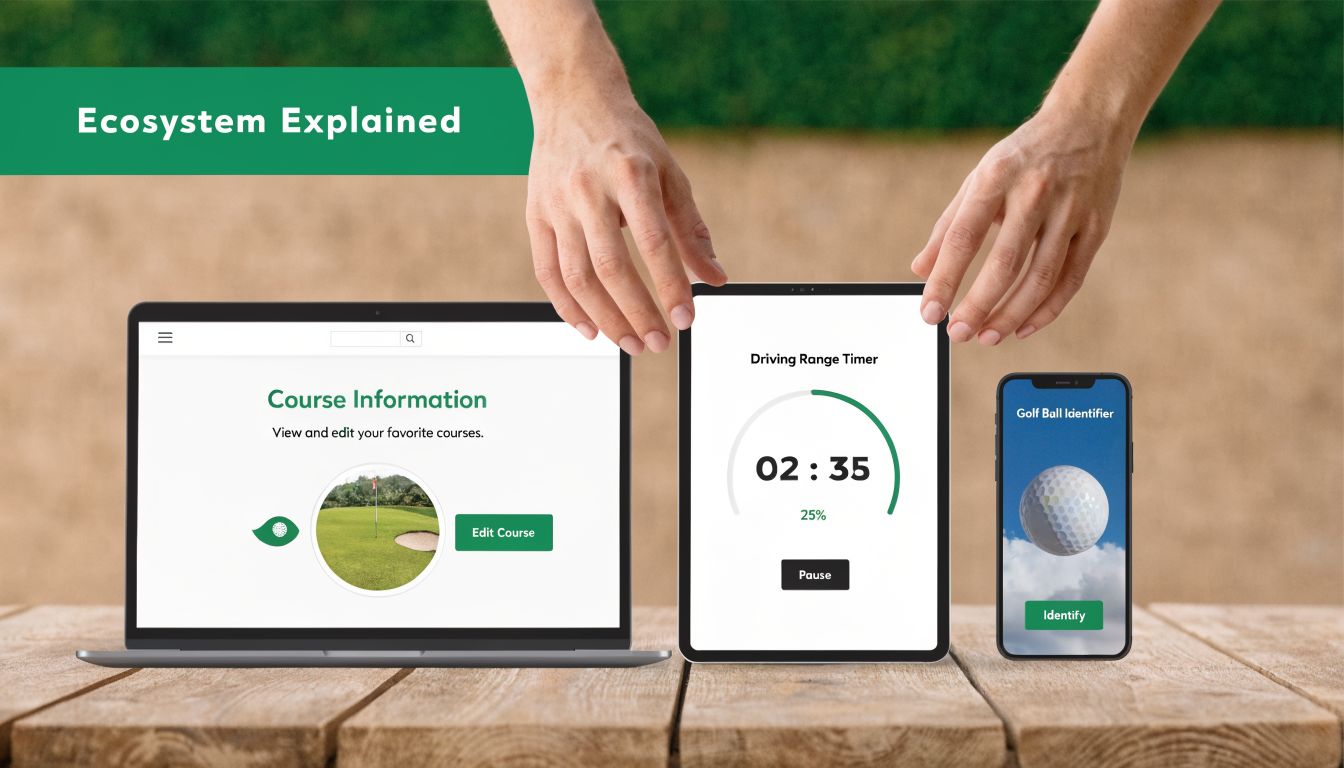
"GHIN lookup" covers several different tools, and each one answers a different question. The public search on ghin.com golfer lookup system helps you verify whether a golfer appears in the public database. The GHIN app helps staff search from the course or shop counter. Tournament software handles a different operational need altogether. It connects the verified golfer record to the event record, which is what matters once entries start piling up.
That distinction gets missed in basic guides. For organizers, the primary friction is not finding a name once. It is handling name variations, old associations, duplicate-looking records, and last-minute edits without creating a second set of manual corrections later.
Public lookup: best for quick confirmation
Use the public lookup when the task is narrow and the clock is short. It works well for a guest player, a phone inquiry, or a pre-entry spot check.
Typical cases include:
A player gives you only a last name and state
The golf shop needs to confirm a GHIN number during registration
Staff need to check whether a player is publicly searchable before asking for more details
The trade-off is simple. Public lookup is fast, but it is not built to clean up an entire field. It confirms. It does not organize.
GHIN app: best when staff are away from a desk
The app earns its keep during check-in, on the range, or anywhere staff are handling walk-up questions. If an assistant pro or outside staffer needs to search on the fly, the app is usually the better choice than passing names back to the shop by radio or text.
It also helps when the player’s information is incomplete. Staff can test a few likely variations quickly without leaving the line unattended.
If a player still does not appear, the next question is usually account setup, association detail, or whether the golfer ever finished the steps covered in this guide on how to obtain a USGA handicap.
Integrated tournament software: best for roster work
Roster management is where organizers lose time, and it is where integrated lookup matters most. Once you are building pairings, setting allowances, or importing a field, the goal is no longer "find this golfer." The goal is "match the correct golfer to the correct event record once, then stop touching it."
That is why integrated platforms are better for event operations. They reduce re-entry, cut copy-and-paste mistakes, and make it easier to track which player has already been verified.
Situation | Best-fit tool | Why |
|---|---|---|
Single-player verification | Public lookup | Fast access for one record |
Staff working from the course | GHIN app | Quick mobile search |
Cleaning a tournament roster | Integrated tournament software | Links verified handicap data to event records |
Pairings and net setup | Integrated tournament software | Lowers duplicate entry and mismatch risk |
Use the narrow tool for a narrow task. Use the workflow tool for workflow.
Teams run into trouble when they bounce between all three without a rule for when each one applies. A simple internal rule fixes most of that. Public lookup for one-off checks. App for mobile staff. Integrated software for anything that touches the roster.
A Practical Guide to Finding a Golfer's GHIN
The cleanest way to run a ghin lookup name state search is to keep it simple. Start with the public Golfer Lookup tool, search by last name, and use the state or province filter immediately. Don’t begin with a full guess at the player’s entire name unless you know it matches the record.
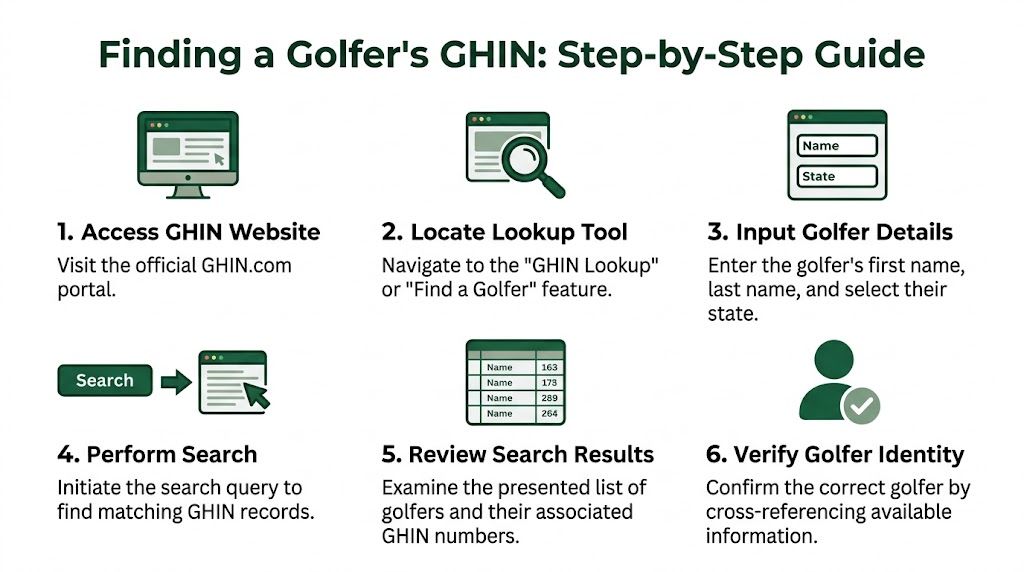
That approach works because the public tool performs far better when both filters are used. The public Golfer Lookup on ghin.com allows searches by last name and state or province, with 95% success when both filters are used versus 70% with a last name alone, according to USGA support for Golfer Lookup.
The fastest manual process
Use this sequence when you need to verify a player quickly:
Open the public Golfer Lookup tool on ghin.com.
Switch to the broadest search view available if the default view is limited to people you follow or your club.
Enter the golfer’s last name first.
Add the state or province filter before you review results.
Scan the result list carefully for the correct golfer.
Confirm the profile details before copying the GHIN or Handicap Index into your roster.
For clubs that are still helping players establish an official handicap in the first place, this separate guide on how to obtain a USGA handicap is useful background for new members and guests.
What to look for in the results
When you get a match, don’t stop at the first familiar name. Confirm what you can from the profile shown. Depending on the tool and the user’s relationship to the player, you may see the Handicap Index, GHIN or WHS number, and some recent scoring context.
That matters because common names create false confidence. “James Wilson” or “David Miller” is not a result. It’s a shortlist.
Use a simple verification checklist:
Match the state first
Check the club or affiliation if visible
Confirm the name format
Use the GHIN or WHS number to lock the record once found
Search narrow first. Last name plus state saves more time than trying to outguess the exact full name.
When the public lookup is enough
For many clubs, the public tool handles the day-to-day work just fine. It’s good for single-player verification, guest cleanup, and correcting records before pairings go live.
Where it starts to break down is volume. If you’re working through a large roster, manual copy-and-paste gets old fast. At that point, the issue isn’t whether the lookup works. It’s whether your process scales.
Solving Common GHIN Search Errors and Mismatches
Most lookup failures aren’t system failures. They’re input failures.
Staff often assume the search will “figure it out” if the player is close enough. That’s not how this works. GHIN searches can be sensitive to how the name is stored, and that’s why simple guesses produce empty results.
A documented example makes the point clearly. Searching for “Mike Gross” can fail if the database lists “Michael Gross,” and the fix is to remove the first name and run the search again, as noted in this name-matching guidance for GHIN/WHS ID searches.
The name problem is bigger than people expect
Nicknames are only one part of it. Organizers also run into suffixes, middle initials, hyphenated names, and outdated registration records from players who type what they go by instead of what the association has on file.
Here’s the practical rule. If a search fails, simplify it.
Start with:
Last name only
State or province filter
No nickname
No first name unless you know it matches exactly
Then refine from there.
Common GHIN Lookup Errors and Fixes
Symptom | Likely Cause | Solution |
|---|---|---|
No result for full name | Nickname or non-matching first name | Remove the first name and search by last name plus state |
Too many results | Common surname without a filter | Add state or province immediately |
Player says they have GHIN but can’t be found | Record may be inactive or tied to a different affiliation | Ask for club affiliation or have the player confirm status with the club |
Two similar names appear | Duplicate or near-duplicate records | Verify state, club, and GHIN/WHS number before selecting |
Registration name doesn’t match lookup name | Manual entry used a casual or outdated name | Update the roster to match the official record |
If players are also asking how score posting affects what appears in their profile, this overview of posting a golf score helps answer the scoring side without turning event staff into handicap educators.
A simple troubleshooting sequence
When a lookup misses, use this order:
Drop the first name
Keep the last name
Apply the state filter
Check for alternate spellings or suffix differences
Ask the player for club affiliation
Confirm whether the membership is current
This is also where staff lose time by over-searching. Don’t keep typing variations randomly. Make one change at a time so you know what solved it.
If the first search fails, get less specific before you get more specific.
A player who insists “I’m definitely in there” is often right. The problem is usually that the roster entry and the GHIN record are not written the same way. Once you treat lookup as a matching exercise instead of a guessing game, the hit rate improves and support requests drop.
Smart Roster Management for Tournament Directors
The roster usually breaks down at the same moment every event. Pairings are due, two players still have unmatched handicap records, and staff are comparing nicknames, old club affiliations, and duplicate entries while the starter waits.

That problem starts long before tournament day. It starts with the registration form.
Roster management works better when the form is built for verification instead of convenience. Players will enter whatever name they use casually unless you guide them toward the version that matches the handicap record. Tournament directors then waste time sorting out whether Mike is Michael, whether a spouse registered the player under the wrong state, or whether the club on file changed last season.
Build registration around lookup success
Ask for the fields that help staff confirm identity:
Last name exactly as it appears on the handicap record
State or province tied to the player’s GHIN record
Club affiliation, if known
GHIN number, if the player has it
A note for name differences, such as “goes by Bill, record may be William”
That last field saves more time than people expect. It gives staff a reason for the mismatch before they start guessing.
I also recommend adding a short instruction above the form. Tell players to use their official handicap record name, not the version their foursome uses. That single sentence cuts down on avoidable cleanup.
Shift roster review earlier
The best time to catch bad entries is after registration comes in, not during final pairings. A simple operating rhythm keeps the work controlled:
At registration: collect verification fields, not just basic contact info
During weekly roster review: check new entries in batches and flag unresolved names
Before pairings: clear duplicates, confirm affiliation questions, and lock the final record
On tournament day: deal with late adds and true exceptions only
This is the trade-off every event staff faces. Spend a few extra minutes per batch during roster review, or spend an hour fixing preventable misses when everyone needs an answer immediately.
Standardize how your staff edits records
Most lookup problems get worse after a human tries to “clean up” the roster. One staff member shortens first names. Another adds a middle initial. A third overwrites the registration entry without keeping the original version. Now nobody knows which name came from the player and which one was added internally.
Use a simple rule. Keep the player-submitted name in one field, and store the matched GHIN name exactly as returned in another. That gives you an audit trail and makes duplicate review much faster. It also helps when a player says, “That’s not how I signed up.”
For teams comparing systems, this overview of golf tournament manager software is useful if you want roster tools that reduce manual correction.
A brief note on Live Tourney. It is used for web-based roster management, event setup, and live scoring. In practice, the value is not the branding. The value is keeping player records tied to the event so staff are not rebuilding the same roster details from scratch on event morning.
What holds up under pressure
The most reliable roster process is boring. Collect the right fields, review entries early, preserve the original registration data, and standardize how matched records are stored.
Free-text registration sounds easier at signup, but tournament staff pay for it later. Clean inputs beat heroic troubleshooting every time.
From Manual Lookups to Automated Accuracy
The manual process for ghin lookup name state is worth knowing because there will always be exceptions. A guest registers late. A member uses a nickname. A common surname returns too many matches. You still need a clean fallback method.
But manual lookup shouldn’t be the main strategy. The better approach is to design registration, roster review, and player verification so most records are resolved before the event reaches the scoring stage.
That means using the right lookup tool for the job, leaning on last name plus state first, and treating name mismatches as a normal workflow issue instead of a surprise. For clubs that want to move beyond spreadsheet cleanup, tournament platforms can reduce repetitive verification work and keep player records tied to the event itself. If you’re comparing options, this guide to golf tournament manager software is a practical place to start.
If you're ready to spend less time fixing handicap records and more time running the event, Live Tourney gives golf courses and tournament organizers a web-based way to manage rosters, registrations, pairings, and live scoring without the usual software friction.





