Apr 9, 2026
Get the complete Reserve Run Golf Course scorecard with hole-by-hole yardages, ratings, and a printable PDF. Learn how to use it for live tournament scoring.

Tournament morning at Reserve Run usually starts the same way. Someone is sorting printed cards at the counter, someone else is fixing pairings, and players are already asking where they stand in the event before the first tee shot is hit.
This is a key gap with the reserve run golf course scorecard. The card itself is useful. The problem is that most organizers stop at the paper version. They never turn that course data into a live, working tournament system that handles pairings, scoring, leaderboards, and payout logic without the usual scramble.
Your Essential Guide to the Reserve Run Scorecard
A paper scorecard tells you the course. It does not run the event.
At Reserve Run, organizers need both. They need the official yardages, pars, and handicap indexes so the competition is fair. They also need a clean way to use that same data for digital score entry, live leaderboard updates, and printed materials that match the course setup on the day.
The practical move is simple. Start with the official scorecard details, then build everything else from that source of truth.
That means using the scorecard for:
Tee assignment: Choose the right set for each division.
Handicap setup: Match hole indexes correctly.
Player communication: Give every group the same scoring rules.
Event operations: Generate cards, cart signs, pairings, and live standings from one course profile.
What does not work is mixing a scanned card, a spreadsheet, and handwritten edits in the shop. That creates scoring disputes fast.
Tip: If you run outings, leagues, or charity events, the scorecard should be entered once and reused. Re-keying hole data before every event is where avoidable errors start.
Reserve Run Golf Course at a Glance
A tournament director standing in the shop at 7 a.m. does not need marketing copy. They need a course profile they can trust for tee sheets, contest setup, printed cards, and live scoring.
Reserve Run Golf Course sits at 625 E. Western Reserve Road, Poland, Ohio. It opened on July 1, 1999, was designed by Barry Serafin, and earned a 4-star rating from Golf Digest according to the Reserve Run course overview.
From the Black tees, Reserve Run plays to par 70 at 6,162 yards, with a 68.9 course rating and 117 slope rating for men.
Those numbers matter because they shape how you run the event, not just how you describe the course. A par-70 layout at this length usually gives organizers a useful middle ground. Better players still have room to separate themselves, but the course does not force every mixed-skill outing into survival golf.
That makes Reserve Run easier to set up for real-world formats. Scrambles, charity outings, league finals, and small stroke-play events all benefit from a layout that is straightforward to assign by tee and easy to explain on one card.
A few practical advantages stand out:
Manageable overall yardage: Strong players can still score, and newer players are less likely to stall out.
Multiple tee sets: Divisions and mixed groups are easier to place fairly.
Clear rating and slope structure: Handicap-based events are simpler to configure correctly.
Credible course reputation: That helps when organizers are filling a field and justifying entry fees.
For event operations, its value is simple. Reserve Run gives you scorecard data that translates cleanly from paper to a live event setup. Once the tee, par, rating, and slope details are entered correctly, a platform like Live Tourney can turn that static card into printed materials, app-free score entry, and a leaderboard players can follow during the round.
Complete Hole-by-Hole Scorecard Data
The core of the reserve run golf course scorecard is the hole detail. This is the data you need when building scorecards, assigning strokes, or checking whether a side game is mapped correctly.
According to the Reserve Run scorecard listing, the course includes two notable par 5s at 523 yards on hole 8 and 485 yards on hole 17 from the Black tees. The par 3s range from 117 yards to 195 yards.
Reserve Run official scorecard
Hole | Black Yards | Blue Yards | White Yards | Red Yards | Par | Men's Handicap | Women's Handicap |
|---|---|---|---|---|---|---|---|
1 | 504 | 490 | 454 | 429 | 5 | 16 | 11 |
2 | 195 | 174 | 148 | 123 | 3 | 8 | 3 |
3 | 408 | 387 | 350 | 322 | 4 | 6 | 1 |
4 | 182 | 153 | 139 | 115 | 3 | 12 | 13 |
5 | 343 | 331 | 298 | 211 | 4 | 18 | 17 |
6 | 149 | 121 | 97 | 88 | 3 | 10 | 15 |
7 | 227 | 203 | 177 | 111 | 3 | 4 | 5 |
8 | 523 | 474 | 432 | 385 | 5 | 2 | 7 |
9 | 131 | 117 | 100 | 76 | 3 | 14 | 9 |
10 | 159 | 150 | 132 | 99 | 3 | 15 | 10 |
11 | 380 | 360 | 344 | 320 | 4 | 5 | 2 |
12 | 164 | 154 | 141 | 121 | 3 | 11 | 12 |
13 | 157 | 146 | 135 | 124 | 3 | 9 | 14 |
14 | 334 | 322 | 311 | 288 | 4 | 17 | 18 |
15 | 130 | 123 | 113 | 98 | 3 | 13 | 16 |
16 | 352 | 329 | 305 | 279 | 4 | 7 | 4 |
17 | 485 | 450 | 434 | 391 | 5 | 1 | 8 |
18 | 183 | 170 | 171 | 142 | 3 | 3 | 6 |
Where the card shapes scoring
Two holes tend to drive event conversations:
Hole 8: Long par 5, reachable only for a narrow slice of the field if conditions help.
Hole 17: Late par 5 with enough scoring swing to change a leaderboard.
Short par 3s: They look harmless on paper, but they can create big separation in net events.
For tournament directors, those are the holes to watch when setting skins, closest-to-the-pin contests, or hole-by-hole scoring alerts.
Tee Options Course Ratings and Slopes
Tee selection is where many events go wrong. Players enter from the wrong boxes, handicaps are adjusted from the wrong ratings, and pace suffers because the setup does not match the field.
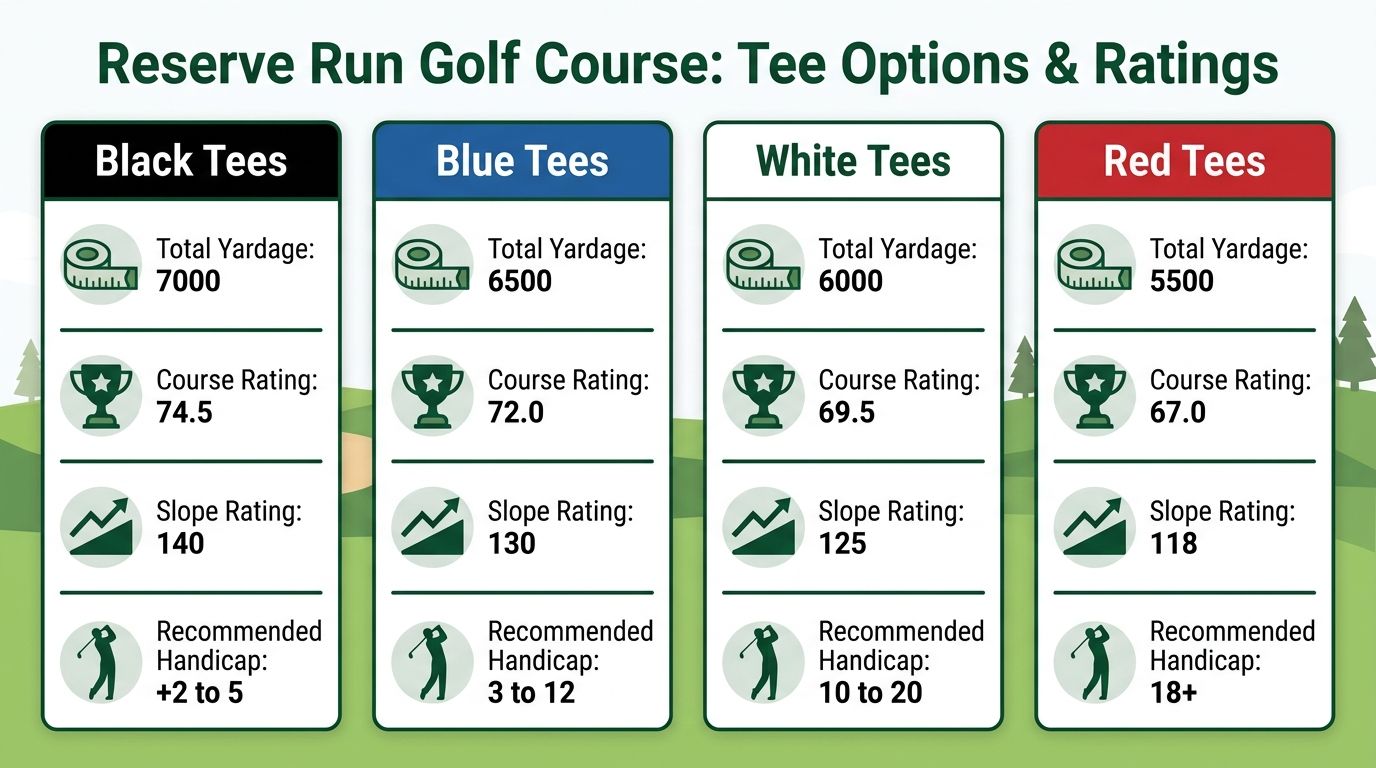
Reserve Run gives you four primary tee sets. The Golfify course listing shows Black at 6,162 yards with 68.9/117 for men, Blue at 5,933 yards with 67.7/115 for men, White at 5,381 yards with 65.3/109 for men, and Red at 4,505 yards with 65.7/103 for women.
Best use for each tee set
Tee | Yardage | Rating and Slope |
|---|---|---|
Black | 6,162 | Men 68.9 / 117 |
Blue | 5,933 | Men 67.7 / 115 |
White | 5,381 | Men 65.3 / 109 |
Red | 4,505 | Women 65.7 / 103 |
Use the Black tees for your strongest division only. Most mixed-field outings run better from Blue or White because players keep the ball in play more often and score posting is cleaner.
Why this matters for tournament setup
The trade-off is straightforward. The farther back you go, the more “championship” the event feels. The farther up you go, the smoother the pace and the more representative the scoring tends to be for a typical public-field event.
If your staff is assigning handicaps or validating net results, understanding what a course rating means helps avoid bad tee decisions before they affect the competition.
Key takeaway: Do not choose tees based on ego or tradition. Choose the tees that produce fair scoring and keep the round moving.
Download Your Printable Scorecard PDF
Some players still want a hard copy in the cart. That is fine. Printed scorecards remain useful for rules notes, sponsor branding, and backup scoring if a group loses service or wants a paper trail.
The important part is using a clean printable version of the reserve run golf course scorecard, not a blurry photo or an old screenshot passed around by text.
What to print
For event day, keep your print stack simple:
Primary player card: Hole numbers, pars, stroke indexes, assigned tees.
Shop reference card: One master version for staff.
Rules insert: Separate sheet if your format has side games or local event rules.
If you want a model for what makes a strong printed card usable during play, this guide to the best golf scorecard formats is a helpful reference.
What not to print
Avoid overloading the card with too much event admin. Pairings, payout notes, sponsor logos, and hole contests all on one sheet usually make the card harder to read, not better.
A scorecard should still function as a scorecard first.
Data-Driven Playing Strategy for Key Holes
A Reserve Run tournament usually turns on a few predictable mistakes. A player sees a manageable yardage on the card, gets aggressive from the wrong tee or angle, and gives shots away on holes that looked simple in the cart.
The scorecard is still the starting point. Yardage, par, and stroke index help players choose a plan before the round. The useful step for organizers is turning that static information into clear guidance for pace, scoring swings, and live scoring checks during the event.

Holes that deserve a plan
Hole 8 is a decision hole because length alone does not decide the best play. In a tournament, the better question is what approach yardage a player wants after the tee shot. Stronger players can chase position if the lie and line are clean. Everyone else usually scores better by leaving a full shot from short grass instead of forcing extra distance.
Hole 17 changes behavior late in the round. Par 5s do that. Players who are watching the board start pressing for eagle chances or trying to recover a bad stretch in one swing. The better strategy is simple. Pick the safest route to a realistic birdie putt and avoid the number that knocks a team or player down the standings.
Short par 3s also deserve discipline. They look like scoring holes on the card, so players attack flags they should ignore. In event scoring, a routine par often gains on the field if the pin brings bunkers, short siding, or a fast downhill putt into play.
How organizers can use the scorecard data
Static hole data becomes more useful when it is tied to tournament operations.
Flag likely swing holes before the round: Mark the holes where players are tempted to force distance or attack risky pins.
Use those holes as scoring checkpoints: If you are running Live Tourney, have volunteers or staff ready to confirm entries on the holes that produce the most doubles, penalties, and rules questions.
Set expectations by tee: Back-tee players need a different plan than players on a forward event tee, even on the same hole.
Watch the finish: Late scoring errors happen when groups are thinking about standings instead of card accuracy.
That matters because the reserve run golf course scorecard should do more than sit on paper. It should help players make better decisions and help organizers know where scoring pressure, pace issues, and entry mistakes are most likely to show up. Live Tourney solves that gap cleanly. You keep the familiar hole data, then turn it into app-free live scoring that matches how the course plays under tournament pressure.
Moving Beyond the Paper Scorecard for Tournaments
Paper works for a casual foursome. It breaks down once the day includes pairings, divisions, side games, and a scoreboard everyone expects to see before lunch ends.
The old process has familiar failure points:
Handwriting issues: Staff cannot read a number, so they guess or go hunting for a group.
Delayed standings: Nobody knows where they stand until every card is turned in.
Duplicate entry: Scores get written in the cart, then re-entered in the shop.
Rule confusion: One group applies strokes correctly, another does not.
The deeper problem is not just speed. It is trust. Players are more confident in results when they can see the leaderboard update and when the scorecard logic matches the event format from the start.
Paper also makes side games clumsy. Closest-to-the-pin, skins, or match status all become separate manual jobs.
For Reserve Run events, that is the line between a round that feels organized and a round that feels patched together. The scorecard data is solid. The weak point is usually the process wrapped around it.
How to Set Up Your Event with Digital Scoring
The smartest setup starts with one accurate course profile. Once the Reserve Run hole data is entered correctly, the rest of the event gets easier.
The GOLF course profile page discussing Reserve Run notes that modern app-free platforms can generate dynamic scorecards and leaderboards instantly, boost live scoring participation by 40%, and cut setup from hours to minutes. That is exactly why digital scoring works better for leagues and outings.

A clean setup workflow
Load the course once Enter the official Reserve Run pars, yardages, and handicap indexes by hole. This becomes the base profile for every future event.
Assign tees by division Men’s division, women’s division, seniors, juniors, or mixed charity groups often need different tees. Handle that at setup, not on the first tee.
Import the field Add player names, teams, and handicap data. If you also manage registration, broader sports management software can help upstream with rostering and coordination before players ever arrive at the shop.
Build event materials automatically Digital platforms can produce scorecards, tee sheets, and cart signs from the same event file instead of forcing staff to rebuild each document manually.
Turn on live scoring The event becomes visible at this stage. Players and staff stop waiting for paper returns and start seeing the tournament as it develops.
What works and what does not
What works is entering the scorecard once, testing the event format, and sending one scoring link to the field.
What does not work is bolting digital scoring onto a paper-first process at the last minute.
If you are comparing tools, this guide to golf tournament scoring software is useful because it focuses on setup practicality, not feature bloat.
Using App-Free Live Scoring for Your Round
From the player side, app-free live scoring is simple when the organizer does the setup correctly.
A player gets a link by text or email, or scans a QR code on the cart sign. The scorecard opens in the phone browser. No app store. No login detour. No one in the group has to become the “tech person.”
What the player does
One player in the foursome usually handles entry. After each hole, that person taps in the scores, confirms, and moves on.
The group can then check:
Live leaderboard position
Team standing
Hole-by-hole progress
Side games if enabled
That changes behavior in a good way. Players stay engaged because the event is visible while they are playing it.
Why this is better than old scoring routines
Paper scoring creates a dead zone between the 18th green and the awards table. App-free scoring removes most of that lag.
It also cuts back on the most common player complaint in tournaments, which is not knowing whether the event is being scored correctly until the round is over.
For Reserve Run rounds, the best setup is usually one person entering scores for the group while everyone else verifies hole totals before leaving the green. That keeps the pace intact and catches mistakes before they compound.
Live Tourney turns a static Reserve Run scorecard into a working tournament system with app-free scoring, live leaderboards, tee sheets, cart signs, and fast event setup on any device. If you run outings, leagues, or club events and want a smoother day for staff and players, see how Live Tourney works.