
Jan 18, 2026
Master posting golf score with this guide to live tournaments and handicap systems. Learn the process, avoid common errors, and run seamless golf events.

Let's be honest, the moment a round ends, the chaos often begins. Crumpled scorecards, a scramble to tally results, and a line of players asking "where do I stand?"—it’s a familiar scene. But what if that post-round scramble could be replaced with a seamless, professional experience?
Properly posting a golf score is the one step that makes it all happen. It’s what ensures tournament integrity, gives players the instant gratification of a live leaderboard, and keeps everyone’s handicap up-to-date.
Why Nailing Score Posting Makes All the Difference
In today's golf world, getting the scores in quickly and correctly isn't just an administrative chore; it's a core part of the player experience. Whether you're running a competitive tournament for 100 players or just posting your weekend round for your handicap, an efficient process changes everything.
Gone are the days of manually collecting and double-checking every scorecard—a process that’s slow, tedious, and filled with opportunities for human error.
Modern platforms and apps have completely changed the game. They get rid of the manual data entry, which frees up your staff to focus on creating a better event atmosphere instead of being buried in paperwork. For players, the payoff is immediate.
The real magic is in the instant gratification. A player can walk off the 18th green, see their name climbing a live leaderboard in the clubhouse, and know exactly where they stand. That creates a buzz and excitement that paper scorecards just can't match.
This guide will walk you through the essentials of posting scores from two key perspectives: the tournament organizer running the show and the individual player keeping their handicap current.
What We'll Cover in This Guide
Live Tournament Scoring: We’ll break down the steps for organizers to run flawless live events, delivering real-time updates that keep everyone hooked from the first tee shot to the final putt.
Handicap Management: For individual players, we'll cover the right way to submit scores to services like GHIN to maintain an accurate and official USGA Handicap Index.
Common Mistakes and Fixes: We've all seen them happen. Learn how to sidestep the simple errors that cause major headaches for both players and organizers.
By the end, you'll know how to make sure every round is recorded accurately and efficiently, elevating the entire golf experience for everyone involved.
How to Run Seamless Live Tournament Scoring
Let’s be honest: running a flawless golf event is all about the experience. You want to create a dynamic, professional competition, not a simple outing where players are in the dark about where they stand. The secret is moving away from clunky, outdated systems and embracing a streamlined, app-free approach that makes everything easier.
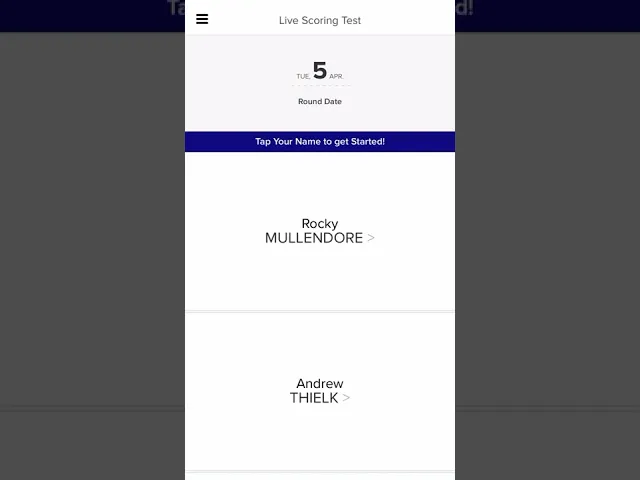
Picture this: you're running the annual charity scramble. Your top priority is a fun, engaging atmosphere, not wrestling with complicated software. An efficient system lets you upload your player roster right from a spreadsheet, pick the format (like a scramble or best ball), and generate a single scoring link. That’s it.
You can then text that link out, email it, or slap a QR code on the cart signs. From there, the process basically runs itself. Players start posting scores from their phones, and the live leaderboard immediately comes to life. You can watch it all unfold from anywhere—the pro shop, the clubhouse bar, or even while you’re driving a cart out on the course.
Setting Up Your Event for Success
A smooth tournament day always starts with a smart setup. Before anyone even steps onto the first tee, you need to have your digital foundation locked in. That means getting player names, handicaps, and tee assignments loaded into your platform accurately. The goal here is to avoid any last-minute manual fixes on the morning of the event.
Roster Upload: Don't waste time with manual data entry. Use a simple CSV or Excel file to import everyone at once. This cuts down on tedious work and pretty much eliminates the risk of typos.
Format Configuration: Clearly define the rules. Is it stroke play? Match play? A team format? Make sure you also set up any side games like skins or closest-to-the-pin, so the system can track them for you automatically.
Communication is Key: Send out the scoring link with simple instructions to all your players the day before the event. A little pre-event communication goes a long way. It gets everyone comfortable with the process and starts building that pre-tournament buzz.
This is all about moving from a pile of disorganized paper scorecards to a clean, live digital experience that just works.
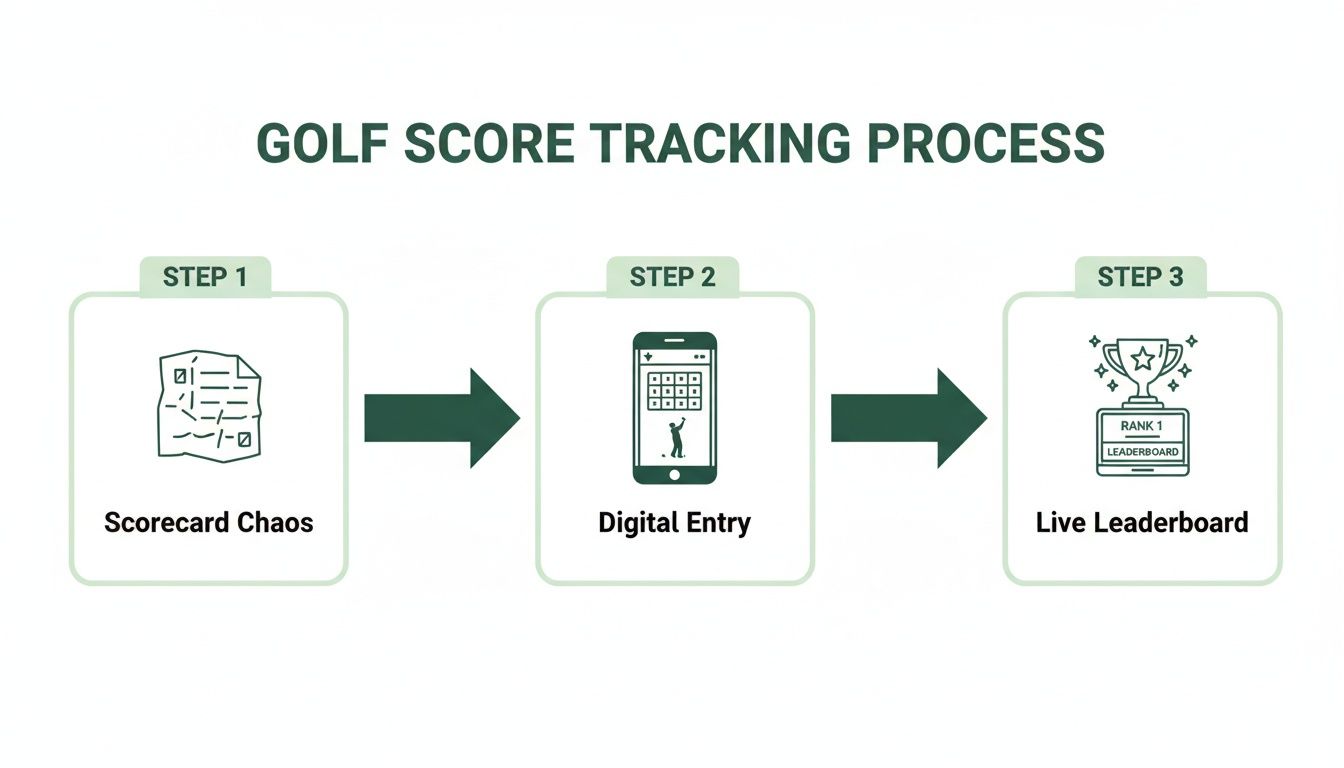
This simple flow is what modern tournaments are all about. It eliminates the manual chaos and allows for instant, accurate score entry and leaderboard updates that keep everyone in the loop.
Engaging Players and Managing the Day
The real magic of live scoring is the energy it injects into the day. Players are no longer playing in a vacuum; they can see exactly how they stack up against the field in real time. This immediate feedback turns a standard round into something far more compelling. A great move is to project the live leaderboard onto TVs in the clubhouse, creating a central hub of excitement as groups finish up.
This kind of engagement is why digital score posting has absolutely exploded. Since the World Handicap System debuted, score posting has skyrocketed to over 100 million scores posted annually worldwide. That kind of volume demands efficient tools. We've seen modern software drive up to 40% more live participation just by making it easy for players to post hole-by-hole on any device.
The biggest win for an organizer is getting rid of that chaotic, post-tournament rush to tally scores. With a live system, the final results are calculated and displayed the second the last group finishes. No more frantic data entry, no manual calculations—just immediate, accurate winners.
This frees you up to focus on the awards ceremony and making sure your guests have a great time, ending the event on a high note.
If you want to dig deeper into what makes a platform truly effective, check out our guide on the essential features in golf tournament scoring software. It's a great resource for comparing your options.
Posting Scores for Your Official Handicap Index
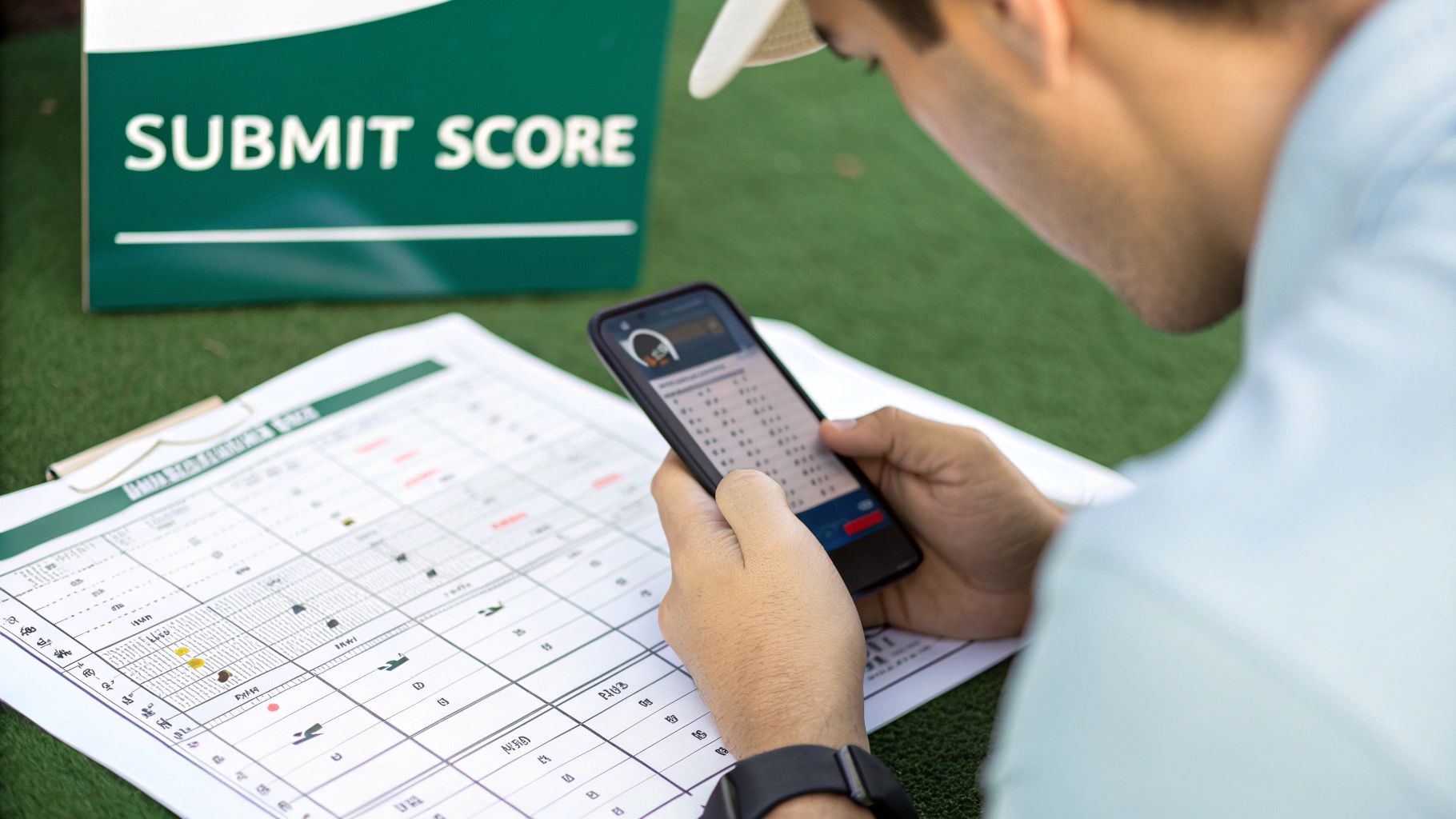
Live scoring is great for the heat of competition, but posting your score for an official handicap is what keeps the game honest for everyone. Maintaining an accurate Handicap Index is the bedrock of fair play, whether you're in a weekend money game or the club championship.
Thankfully, the days of hunting down a specific kiosk in the pro shop are pretty much over.
The whole process has become incredibly simple, mostly thanks to official apps like the USGA's GHIN mobile app. This convenience has fueled a massive surge in score posting. We're talking over 3 million golfers posting more than 77 million scores every year under the World Handicap System (WHS).
And the most telling stat? A staggering 94.5% of those rounds are just for fun. It’s solid proof that having a handicap is for every golfer, not just the elite players.
The Info You'll Need for Every Post
No matter which method you use, you'll need a few key details from your round. Having these ready turns a chore into a 30-second task.
Adjusted Gross Score: This is a big one. It's not always the raw score you wrote down. For handicap purposes, your score on any hole is capped at a Net Double Bogey. This smart adjustment prevents one or two blow-up holes from wrecking your Handicap Index.
Course and Slope Rating: You'll find these numbers on the scorecard or tee markers. The Course Rating reflects the course's difficulty for a scratch golfer, while the Slope Rating does the same for a bogey golfer. Both are non-negotiable for an accurate calculation.
Tees Played: Be specific. The "Blue" tees and "White" tees at the same course have different ratings, and choosing the wrong one will throw off the whole calculation.
The number one mistake new players make is entering their raw score instead of their Adjusted Gross Score. The easiest way to sidestep this is by using the hole-by-hole posting feature in an app like GHIN. It automatically calculates the Net Double Bogey adjustment for you.
Picking Your Posting Method
You really have three main options for posting a score. The best one is whichever one you’ll actually use consistently. And if you're looking for tips on managing scores during an actual event, our guide to effective golf tournament scoring is a great place to start.
Comparison of Handicap Score Posting Methods
Here’s a quick breakdown of the three main ways to post a score for your handicap. Each has its place, and knowing the pros and cons can help you find the most reliable routine.
Method | Best For | Pros | Cons |
|---|---|---|---|
Mobile App | Convenience and on-the-go posting | Post from anywhere, hole-by-hole entry, saves recent courses for quick access. | Requires a smartphone with a data connection or Wi-Fi. |
Website Portal | Posting at home or from a computer | Large screen makes reviewing history easier, same functionality as the mobile app. | Less convenient than an app; you have to remember to do it later. |
Club Kiosk | Traditionalists or when your phone is unavailable | A reliable backup, familiar process for long-time players. | Becoming less common, requires you to be physically at the clubhouse. |
Ultimately, the goal is consistency. Whether you post from your phone in the car or from your computer at home, just make it part of your post-round routine. It's the only way to keep your handicap fair and accurate.
Of all the things that can go wrong with a golf score, the smallest mistakes often cause the biggest headaches. For a tournament director, a simple typo can throw the integrity of the entire event into question. For a player, it can mess with a handicap you’ve worked hard to maintain.
The good news? Most of these problems are completely avoidable if you know what to look for.
Let's walk through the most common slip-ups we see from both sides—the tournament organizer's desk and the player's perspective—and cover how to keep your scoring clean and accurate.
For Tournament Organizers
A smooth tournament day is almost always the result of a flawless setup. Those last-minute scrambles to fix mistakes are stressful for everyone, especially when they could have been caught beforehand. Most of the time, the trouble starts in the pre-tournament configuration.
Incorrect Tee Assignments: This happens more than you'd think. Accidentally putting a player on the wrong set of tees messes with everything from their course handicap to their final net score. The only real fix is prevention: double-check your roster and tee assignments before anyone hits the first tee.
Misconfigured Scoring Formats: Setting up a Stableford when you meant to run a scramble is a major issue. If you catch it early, you can usually just edit the event settings. But if scores are already rolling in, you need to communicate with players immediately and adjust the format in your tournament software.
What about a simple scoring error during the round? Say a player enters a 4 instead of a 5. Modern platforms like Live Tourney let an admin jump into the back-end, pull up the player's digital scorecard, and make the fix in seconds. This keeps the live leaderboard accurate without disrupting the flow of the event.
For Individual Players
When it comes to posting your own scores for your handicap, precision is everything. A few common blunders can lead to an inaccurate index, which really defeats the whole purpose of the system.
The #1 error players make? Forgetting to adjust their score for Net Double Bogey. If you just post your raw, unadjusted score, you're on the fast track to an inflated handicap. Your best bet is to always use the hole-by-hole posting feature in an app like GHIN, which does this critical adjustment for you automatically.
A few other common mistakes to watch out for:
Posting on the Wrong Date: It's an easy mistake, but the date played can impact the Playing Conditions Calculation (PCC), which accounts for unusually tough course or weather conditions. Always give the date a quick look before you hit submit.
Selecting the Incorrect Tees: The difference between the "Blue" and "Gold" tees can be significant in terms of Course Rating and Slope. Posting from the wrong set will lead to an inaccurate calculation of your score differential.
Submitting a Duplicate Score: This usually happens when you and a buddy both try to post the same score for your group. The easiest way to avoid this is to just designate one person to handle posting after the round. If you do accidentally double-post, you can usually delete a score on the same day it was posted. If not, you’ll need to contact your club's handicap committee to get it removed.
Scorecard Verification and Event Etiquette

Integrity is the bedrock of golf. And nowhere is that more obvious than in the simple, time-honored act of verifying a score. Posting your score isn't just about punching in numbers; it's about upholding the rules of the game and showing respect for your fellow competitors.
Whether you're using an old-school paper scorecard or a live scoring link on your phone, the core principles don't change. The classic ritual of signing a physical card translates directly to the digital world. Every single score needs to be checked, confirmed, and attested before it goes into the books.
This shared responsibility keeps the competition fair and balanced, from a casual weekend game to a major club championship. It's a fundamental piece of golf etiquette that protects the entire field.
Player and Marker Responsibilities
In golf, scoring is always a two-person job. The terms ‘player’ and ‘marker’ define the official roles in this process, and it’s critical to understand your duties.
The Player’s Role: At the end of the day, you are responsible for the accuracy of your own hole-by-hole scores. Even if your marker is keeping your card, the final accountability is yours. It's your job to review every number before you sign off.
The Marker’s Role: Your job is to accurately record your playing partner's score and attest to its correctness after the round. You are the second set of eyes—a crucial check and balance in the system.
This dynamic is the heart of golf's honor system. It's a peer-review process that happens on every hole of every round. Trusting your marker is important, but verifying their work is your non-negotiable duty as a player before you finalize the process of posting a golf score.
This teamwork ensures that simple mistakes, like transposing numbers or misremembering a score on a tough hole, are caught before they can mess with the results. Both roles are equally important for keeping the game honest.
Your Pre-Submission Checklist
Before you hit that "submit" button or put pen to paper, run through a quick mental checklist. This simple habit can prevent some major headaches and is often what separates the pros from the amateurs.
Confirm Hole-by-Hole Scores: Go through the card hole-by-hole with your marker. Don't just glance at the total; verbally confirm the score for every hole from 1 to 18. This is where most errors get caught.
Double-Check the Final Total: Once the individual holes are confirmed, check the math for the front nine, back nine, and the grand total. Most live scoring systems do this for you, but it’s still a good habit to get into. If you want to dive deeper into what makes a great card, digital or physical, check out our guide on the best golf scorecard designs and features.
Get the Necessary Attestation: Whether it's a physical signature or a verbal "looks good" before a digital entry, make sure your marker officially attests to your score. That's the final step that makes it official.
For tournament organizers, it's a great idea to clearly outline these responsibilities in your pre-event rules sheet. It sets a professional tone from the start and reminds every player of their obligation to the game's integrity.
Driving Live Scoring Adoption at Your Golf Events
You can have the best live scoring system in the world, but it’s only as good as the number of players who actually use it. As a tournament organizer, your mission is to make participation feel effortless—and frankly, essential. You want live scoring to be a core part of the event experience, not just some administrative task.
But here’s the thing: high adoption rates don’t just happen. They’re the result of a deliberate, well-executed strategy that starts long before the first ball is in the air.
Get ahead of the game with clear pre-event emails or texts. The key is to highlight how simple the system is, and you absolutely must emphasize that no app download is required. That single point removes a huge barrier for a lot of players, especially those who aren't keen on installing new software on their phones.
When players arrive on tournament day, make it impossible for them to miss the scoring link.
Strategic QR Codes: Put large, easy-to-scan QR codes everywhere. I’m talking every cart sign, rules sheet, and welcome banner.
Verbal Reminders: Have your staff and volunteers mention the scoring link during check-in and again at the first tee.
This multi-channel approach is your best bet for making sure every single player knows how to start posting their scores from hole one.
Building Excitement and Incentivizing Participation
To really get players on board, you need to sell them on the benefits. Don't frame live scoring as a chore. Instead, pitch it as an exciting part of the competition.
Explain that this is their ticket to watching a live leaderboard unfold in real-time. It’s how they’ll get instant results for side games like skins, and it’s the reason the post-round awards ceremony will be quick and painless.
A simple but surprisingly effective tactic is to offer a small incentive. Try giving a free drink ticket or a sleeve of balls to the first group that correctly posts their scores for all 18 holes. This creates a bit of friendly competition right out of the gate and helps normalize the process for everyone else.
Ultimately, a high adoption rate does more than just make your job easier. It completely transforms the event. It elevates the player experience, builds your reputation for running modern and engaging tournaments, and gives players a fantastic reason to come back next year.
Your Questions About Posting Golf Scores, Answered
Even with the clearest instructions, you're bound to run into a few specific questions when it comes to posting scores. It happens. Whether you're an organizer trying to get a live leaderboard up and running or a player just trying to keep your handicap straight, getting the details right is what matters.
Here are some of the most common questions we get, with straightforward answers.
What’s the Difference Between a “Tournament” Score and a Regular One?
The main difference is how it’s treated for your handicap. A tournament score, or T-score, comes from a formal, organized competition. The idea is that it reflects how you perform under pressure, so it’s weighted a bit differently in handicap calculations. A "regular" score is just from a casual round with your buddies.
Most modern tournament software, like Live Tourney, makes it easy to format the results for players to post after the event is over. But remember, it's still up to the individual player to submit their T-score correctly to a service like GHIN.
Do My Players Need to Download an App for Live Scoring?
Thankfully, no. This used to be a huge headache. Older systems forced everyone to download an app, which was a frustrating extra step that turned a lot of players off.
Newer, web-based platforms just use a simple link that opens right in any smartphone browser. Players can be posting scores in seconds—no downloads, no sign-ups, and no passwords to forget. This is a huge reason we see such high participation rates; it’s just so much easier for everyone, regardless of how comfortable they are with technology.
An app-free system is all about access. When you get rid of the download and login barrier, you open up live scoring to 100% of your field, not just the tech-savvy players.
Help! I Messed Up a Score I Already Sent to GHIN.
It happens. If you catch the mistake on the same day you posted the score, you can usually edit or delete it yourself right in the GHIN app or on their website.
If a day or more has passed, you’ll need to get in touch with your club's handicap committee or the administrator who manages it. They have the ability to go in and make corrections to ensure your Handicap Index stays accurate.
Can I Still Post a Score If I Didn't Finish All 18 Holes?
Yes, absolutely. You can always post a 9-hole score.
And if you play somewhere between nine and 18 holes—say, you have to stop after 14 because of weather—you can still post that score. The World Handicap System (WHS) has a clear process for this. For any holes you didn't play, you'll record a score of par plus any handicap strokes you would have received on those holes. The system is designed to make sure almost every round you play can count.
Ready to run a tournament without all the scoring chaos? Live Tourney is an effortless, app-free live scoring platform that just works. You can set up an event in minutes and give your players a professional, engaging experience from the first tee to the final putt. See how simple it can be.





