
Jul 17, 2026
golf pairing software, tournament management, live golf scoring, golf course software, event pairings
Discover how modern golf pairing software saves time and elevates tournaments. This guide covers core features, benefits, and how to choose the right platform.

Tournament day usually starts going sideways before the first tee shot.
A player withdraws. Another asks to be moved with a sponsor. Someone printed the wrong cart signs. A volunteer hands you a marked-up spreadsheet with handwritten changes. Then scoring starts coming in on paper, and now the shop staff is trying to fix pairings, answer phones, and keep the event looking organized at the same time.
That routine used to feel normal. It shouldn't. Modern golf pairing software changes the job from damage control to event management. Instead of rebuilding tee sheets by hand and hoping the scorecards match, you run the event from one place, update pairings without starting over, and give players a cleaner experience from check-in through awards.
Moving Beyond Spreadsheets and Stress
The old workflow is familiar for a reason. It grew out of necessity.
A lot of courses still run tournaments with some mix of spreadsheets, printed alpha lists, sticky notes, and a desktop program that only one person really knows how to use. It works until it doesn't. The trouble starts when real tournament conditions hit. No-shows, late adds, sponsor requests, weather delays, and shotgun changes expose every weak point in that setup.
The hardest part isn't just the labor. It's the pressure. Staff members spend the morning reacting instead of running the event. Players feel the friction right away when check-in is slow, pairings are unclear, or scoring turns into a wait around the clubhouse.
What the manual process actually costs
Manual tournament prep creates the same problems over and over:
Pairing changes ripple everywhere: one player swap means edits to tee sheets, scorecards, cart signs, and staff notes.
Paper creates duplicate work: you enter names once for registration, again for pairings, and again for scoring.
Errors show up in public: the wrong handicap, the wrong starting hole, or the wrong pairing becomes visible to players fast.
Staff gets pulled off service: the pro shop ends up fixing admin issues instead of taking care of guests.
When the pairing process lives in three different files and two printed lists, the event is already harder to run than it needs to be.
That's why this shift isn't just about adding software. It's about replacing a fragile workflow with one that holds up when the day gets busy. Courses are moving that direction at scale. The global golf tournament software market was valued at USD 1.2 billion in 2024 and is projected to reach USD 2.4 billion by 2033, with an 8.5% CAGR from 2026 to 2033, reflecting a move toward cloud-based, real-time scoring platforms according to golf tournament software market projections.
For operators, the practical change is simple. One system handles registrations, pairings, scoring, and print materials. Staff stops chasing versions. Players get cleaner communication. The event feels current.
Courses already thinking about digital player experience often start in adjacent areas too, such as free golf tracking tools, then realize tournament operations need the same upgrade.
What Is Golf Pairing Software Really
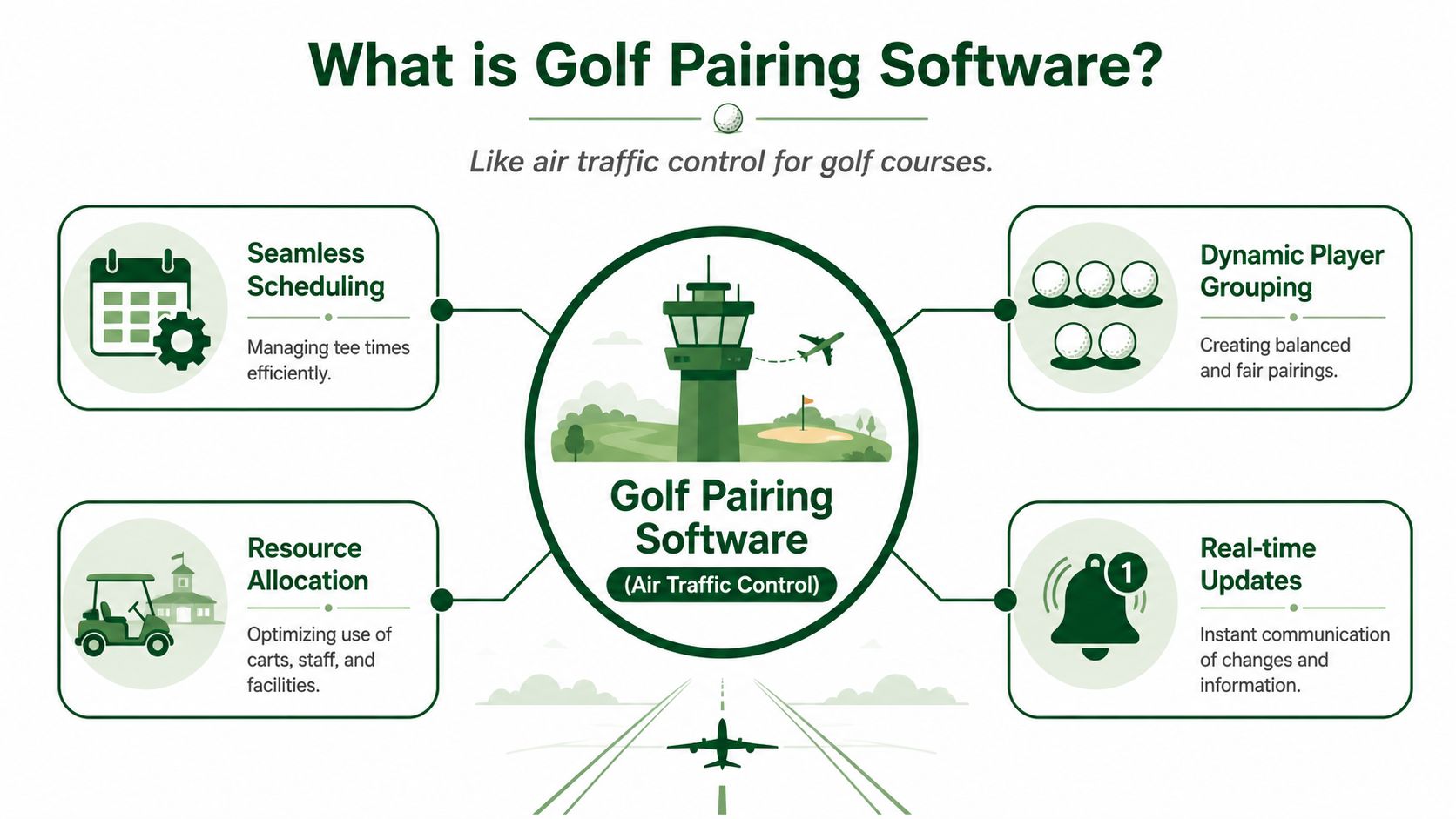
Golf pairing software is air traffic control for your event.
It doesn't just create groups. It coordinates who plays with whom, when they start, what format they're in, how handicaps apply, and what needs to be updated when something changes. Good systems turn tournament setup into a live operating workflow instead of a static document.
From static files to active control
A spreadsheet stores information. Golf pairing software acts on it.
That difference matters. In a spreadsheet, the tournament director has to interpret the roster, remember the format rules, sort players manually, and rebuild the pairings after every late change. In modern software, the platform becomes the control center. You define the event, load the roster, set the pairing logic, and adjust from there.
That's why web-based systems feel so different from older desktop tools. They aren't just digital filing cabinets. They manage movement.
If you've been watching how golf is changing more broadly, that same blend of format innovation and technology is visible in places well beyond the pro shop. Dartee Golf's look at exploring golf's new era with TGL is a useful reminder that players now expect smoother, more connected experiences across the game.
How the pairing logic works
The “magic” behind strong golf pairing software is less mysterious than it sounds. It's rule-based automation.
Advanced pairing algorithms use multi-constraint optimization to create fair groups by evaluating handicaps, historical pairing avoidance, tournament format, and group size constraints without manual intervention, as outlined in this overview of golf tournament pairing algorithms.
In practical terms, that means the software can account for things such as:
Pairing factor | Why it matters on event day |
|---|---|
Handicap balance | Keeps teams and flights more competitive |
Pairing avoidance | Helps prevent repeat groups or unwanted combinations |
Format rules | Changes how pairings should be built for scramble, match play, or other formats |
Group size limits | Prevents awkward foursome and fivesome issues |
A director still sets the standards. The software handles the repetitive logic faster and more consistently than a manual process.
Good pairing software doesn't replace judgment. It removes the clerical work so judgment can be used where it matters.
That's the definition. It's not a feature list. It's a system that keeps the event organized while conditions change.
Core Features That Automate Your Workflow
Friday afternoon is when weak systems get exposed. A sponsor adds two players. One foursome drops to three. A member wants an early tee time. In a spreadsheet, each change ripples through pairings, cart signs, scorecards, and check-in sheets. Good pairing software contains that mess in one place.

Pairings and tee sheets
Pairings are only half the job. The primary test is how the system handles edits after the first draft.
Strong software lets staff build groups by handicap, team setup, flight, or format rules, then assign tee times or shotgun holes without rebuilding the event from scratch. If one player withdraws or a late entry comes in, the update should take minutes. Staff should not be fixing the same change in three different files.
That saves more than time. It lowers the chance of public errors at check-in, on carts, and on the first tee.
Registration and payments
Tournament day usually goes wrong before tournament day.
If player information lives across email threads, paper notes, and calls to the shop, the roster never really settles. Good systems keep registration, payments, and player details tied to the same event record used for pairings and scoring. Staff stops retyping names, guessing which version is current, and chasing down missing details the night before.
One clean roster changes the whole workload.
Live scoring without app friction
Scoring needs to be easy for players and low-maintenance for staff. If players have to download an app, create an account, and reset a password on the first tee, participation drops and the shop ends up giving tech support.
Browser-based scoring removes that bottleneck. Players open a link or scan a code and post scores right away. For a closer look at how that setup works during an event, this guide to golf tournament scoring software covers the scoring side in practical terms.
If scoring takes instructions, reminders, and troubleshooting, staff time disappears fast.
Communication and printed materials
A lot of labor sits in the pieces nobody talks about after the event, unless they go wrong.
Modern tournament software should generate materials from the live roster so every update carries through to the operational details staff uses:
Cart signs and scorecards: built from current pairings, not copied over by hand
Check-in lists: updated after late changes
Player messages: sent for tee times, weather notes, or last-minute adjustments
Results and payout support: easier to close out because scores already live in the system
What a complete workflow looks like
A well-run event usually follows a straightforward path:
Import or collect registrations into one roster.
Set event rules for format, handicap treatment, and starting structure.
Generate pairings and make the judgment calls that software should not make for you.
Publish tee sheets and print materials from the same record.
Run live scoring during play.
Finalize results without re-entering paper scores.
That is what automation should deliver. Less rework, fewer handoffs, and a calmer event day for staff and players.
Key Benefits for Your Course and Your Players
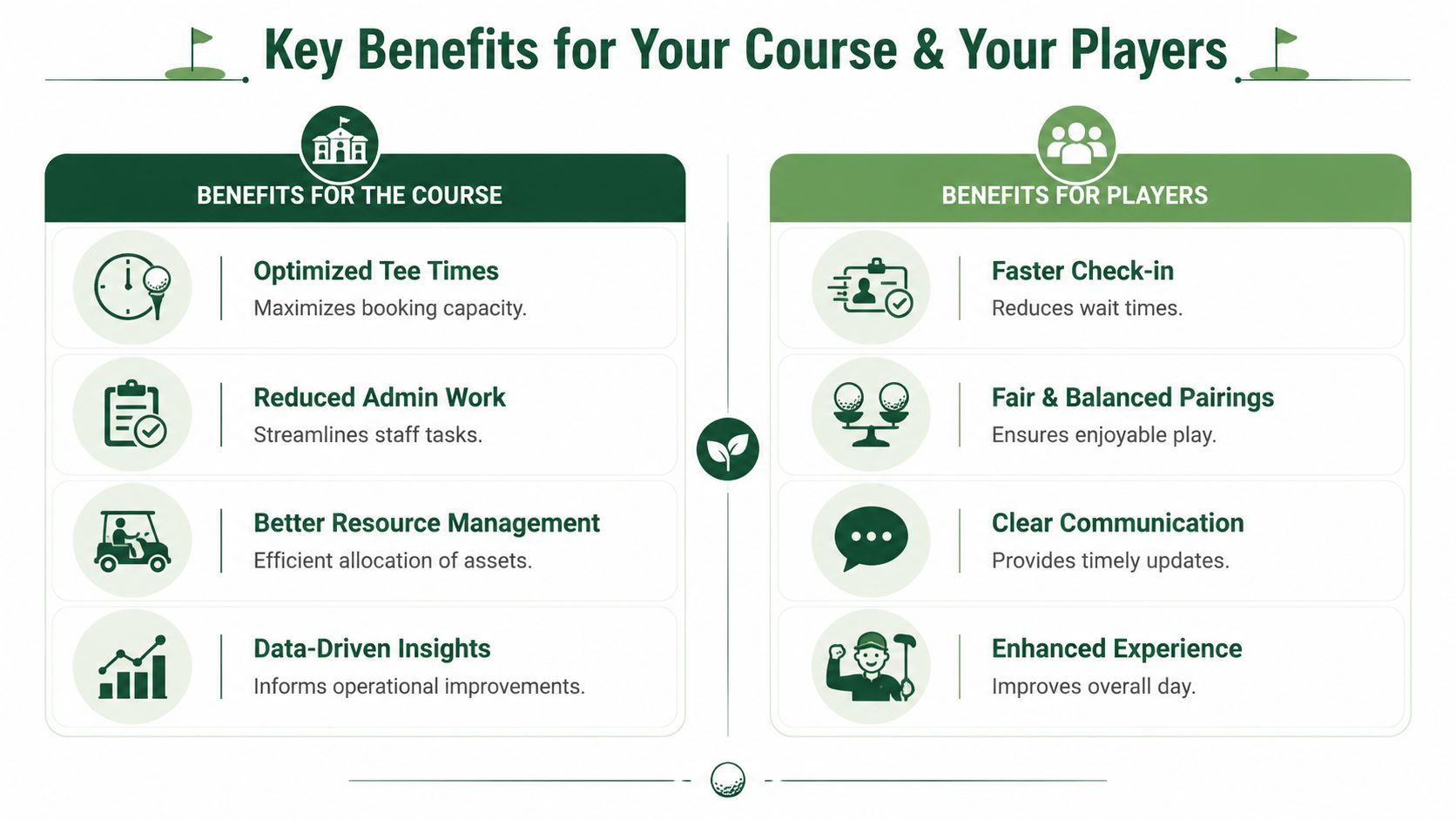
The value of golf pairing software shows up in two places. First, it changes how the course runs the event. Second, it changes how players experience it.
Those aren't the same thing, and good operators evaluate both.
What the course gains
For staff, the biggest win is operational control. Tournament prep gets compressed. Changes stop turning into a chain reaction. The front end of the event feels cleaner because the back office isn't scrambling.
A modern system also helps the course present itself better. Printed materials match the live roster. Pairings are clearer. Results come together faster. Even if players never think about the software directly, they notice when the event feels organized.
Here's where the gain shows up most clearly:
Less rework: edits happen once, in one system
Fewer public mistakes: fewer mismatched scorecards, signs, and pairings
Better staff allocation: the shop can serve players instead of managing paperwork
A stronger event image: smooth operations make the course look prepared
What players notice immediately
Players care less about your workflow than about whether the day feels easy.
They notice whether check-in moves. They notice whether pairings make sense. They notice whether scores appear live or disappear into a stack of paper cards. Those details shape whether the event feels current or outdated.
One result stands out. Live Tourney reports a 40% increase in live scoring participation across its 10,000+ events by letting players score hole-by-hole through a smartphone browser link or QR code without an app download or account creation, according to its summary of golf tournament software and live scoring participation.
That matters because participation drives atmosphere. More players following the leaderboard means more attention during the round and less confusion at the finish.
Players don't remember your pairing algorithm. They remember whether the event felt smooth.
Why both sides matter
Some tournament tools are built for the operator but feel clumsy to the player. Others look polished to players but create extra admin work behind the scenes.
The useful middle ground is software that reduces staff effort while removing friction for golfers. That combination is what makes a league stick, helps a charity outing feel professionally run, and keeps members from dreading event logistics.
How to Choose the Right Pairing Software
Most demos look good for the first ten minutes. A true test is whether the software still looks good when a sponsor changes groups, two players cancel, and your assistant has to make the edit fast.
Choosing golf pairing software is less about the sales pitch and more about asking blunt operational questions.
Start with the staff reality
Some systems are powerful but too dense for a busy golf shop. If seasonal staff or part-time event help can't learn it quickly, the platform becomes a bottleneck.
Ask these questions early:
Can a staff member create a basic event without training-heavy setup?
Can someone fix pairings quickly on a busy morning?
Does the interface make tee sheets, groups, and player status easy to read?
Will the golf staff use it, or will one person become the only operator?
If the answer to that last one is yes, you're buying dependency, not efficiency.
Evaluate player adoption before features
A lot of buyers focus on admin tools first. That's only half the decision.
If the player side is clunky, your event still suffers. Ask whether players can access scoring and event details without extra steps. Browser-based access usually wins here because it lowers resistance. Simplicity matters more than novelty.
A useful vendor conversation should also cover format support. Not every course runs the same calendar. Member-guest events, weekly leagues, charity outings, and season-long competitions all create different needs.
Use a vendor checklist
This simple comparison helps cut through marketing language:
Question to ask | Why it matters |
|---|---|
Can it handle the formats we run most often? | Avoids awkward workarounds later |
How easy is it to edit pairings after publish? | Last-minute changes happen every event |
Does it support app-free scoring? | Lower friction usually means better player use |
Are pricing and fees easy to understand? | Hidden costs show up after the sale |
What support is available during events? | Problems rarely happen at convenient times |
One practical reference point is to review how vendors describe their full event workflow, not just the pairing screen. This overview of golf tournament management software is the kind of material worth studying because it shows whether the platform handles the full operation or only part of it.
Buy for the Saturday morning problem, not the polished demo.
That mindset filters out a lot of software quickly.
Common Pitfalls and How to Avoid Them
The most common mistake is assuming any system that creates groups is good enough.
It isn't. Pairings are only one part of the event. A tool can generate foursomes and still create extra work, frustrate players, or miss the social side of the day completely.
Confusing complexity with capability
Some buyers overcorrect after years of spreadsheets. They choose a platform with every feature imaginable, then discover that ordinary edits take too many clicks and nobody wants to touch it during a live event.
That usually leads to a hybrid process. Staff uses the software for some tasks and falls back to spreadsheets for the rest. Once that happens, the event is back in split-system mode. Errors return.
A better approach is to choose software that handles the core workflow cleanly: roster, pairings, scoring, communication, and print materials.
Ignoring player friction
Another trap is picking a system from the operator's point of view only.
If players need to download an app, create accounts, or work through a confusing scoring screen, many won't participate. That affects live leaderboard energy and often pushes staff back into collecting paper scores to fill the gaps.
Missing the social compatibility gap
This one gets less attention, but it matters in member events, charity outings, and leagues where chemistry affects the day.
Existing coverage of golf pairing software rarely addresses the gap between true playing-partner matching and tournament logistics. Standard tournament tools generally focus on automated group generation and don't assess player reliability or pace-of-play signals, as discussed in this review of apps for finding golf partners and pairing limitations.
That doesn't mean tournament software fails. It means directors still need judgment.
For example, a system may create balanced teams by handicap, but it won't always know that one guest requested a quieter group, or that a certain pairing tends to slow the field. Good software handles logistics. Human operators still manage social fit.
Practical ways to avoid the wrong fit
Test last-minute edits: ask the vendor to change a player, hole assignment, and tee time during the demo.
Check the player flow: if scoring takes explanation, expect lower usage.
Look for full workflow coverage: pairings alone won't solve tournament-day pressure.
Keep social judgment in the process: software can optimize structure, but not every interpersonal detail.
That's the trade-off to understand. Automation improves fairness and speed. It doesn't replace the tournament director's feel for people.
Putting It All Together with Live Tourney
The pressure usually peaks an hour before the first tee time. A player scratches. Two guests need to be moved. The cart signs still need printing. Someone at the desk is working off one spreadsheet, while the pro shop has another. That is the point where old tournament processes start to show every crack.

A system like Live Tourney changes that workflow because the event lives in one web-based place instead of being split across files, printouts, and last-minute notes. For clubs and league operators, that shift matters just as much as the pairing logic. Weekly scheduling, standings, scoring, and day-of materials stay connected, which cuts down on duplicate entry and cleanup later. That broader league and club workflow is outlined in this profile of Live Tourney league management tools.
What matters in practice is simple. Staff can build balanced groups, adjust tee times or shotgun assignments without starting over, and print the materials they need from the same live event record.
That improves the entire day:
Before play: set pairings and assignments without juggling separate sheets
During setup: handle late changes quickly and keep everyone working from the same version
At check-in: print cart signs, scorecards, and player lists without extra formatting
During the round: give players an easy scoring process that does not slow the event
After the round: close out results with less manual correction
I have seen the difference firsthand. The biggest win is not that software can create pairings faster, though it can. The real win is that the staff is no longer stuck rebuilding the event every time something changes. Players notice it too. Check-in moves faster, the printed materials match the actual field, and the day feels organized from the first arrival to the final score posting.
That is the standard to judge any golf pairing software against. It should reduce staff stress, save time on routine work, and make the player experience smoother. If your current setup still depends on spreadsheet versions, handwritten edits, and post-round score cleanup, Live Tourney is a practical option for running tournaments, leagues, and outings in one web-based workflow without forcing players to download an app.





