
Mar 1, 2026
Our 2026 golf event management software comparison breaks down features, pricing, and real-world use cases to help you choose the best platform for your needs.
When you start comparing golf event management software, it all boils down to one simple trade-off: established complexity versus modern simplicity. Older, legacy systems offer a ton of features but usually come with a steep learning curve. Newer, web-based platforms, on the other hand, focus on getting you up and running fast with a design that's intuitive for both your staff and your players. The right choice really depends on whether you need every bell and whistle or just want something that works smoothly right out of the box.
The Evolution of Golf Event Management

The days of running golf tournaments with spreadsheets and clunky desktop software are over. Those old-school methods just can't keep up with what today's players and staff expect. Everyone is used to seamless digital experiences, and that expectation now extends to the golf course. It’s created a real need for tools that make tournaments more engaging for players and way easier for staff to manage.
This isn’t just happening in golf. The entire event management software market has exploded as organizations everywhere ditch manual processes. The shift is all about getting real-time information and using cloud-based tools to work more efficiently.
For golf facilities, this is both a challenge and a huge opportunity. The main hurdle in 2026 is figuring out which platform to choose from a market that gets more crowded every day. To make a smart decision, you need to know what separates a truly modern golf event platform from the rest.
What Defines a Modern Platform
A modern solution does a lot more than just track scores. It’s a complete system built to save your staff time, give players a better experience, and deliver useful data. The best platforms share a few key traits:
Effortless Accessibility: Staff and players should be able to get in from any device—phone, tablet, or desktop—without having to download an app.
Intuitive Design: The interface has to be clean and simple. A new staff member or a first-time player should be able to figure it out with zero instruction.
Powerful Engagement: Features like live leaderboards, instant score updates, and automated communication aren't just nice-to-haves anymore. They're essential for running a professional event.
Choosing the right software is about more than just a feature list; it’s about finding technology that fits how you want to operate. Do you want to spend hours messing with complex settings, or do you want to launch a professional-grade event in minutes?
This guide will give you a clear comparison to help answer that question. Whether you're a seasoned PGA Pro or coordinating your first charity outing, understanding these differences is the first step. By focusing on accessibility, design, and engagement, you can cut through the marketing noise and find a solution that actually fits what you need. Our complete guide on how to run a golf tournament offers even more context on how to make these tools work for you.
How to Actually Judge Golf Tournament Software

Choosing the right platform for your golf events isn't about ticking boxes on a feature list. A long list of features won't tell you how a tool will hold up under the pressure of tournament day. A real event management software comparison needs to go deeper, zeroing in on what actually impacts your staff's sanity and your players' experience.
Before you even look at specific brands, you need a scorecard. These criteria will help you measure any solution against what truly matters for running a smooth golf event. This way, you pick a platform that fits how you actually operate, not just one that looks good on paper.
Speed of Setup and Staff Onboarding
The first real test of any software is how fast you can get an event up and running. If a platform demands weeks of training or hours of tedious setup for a single tournament, it’s creating a massive bottleneck for your team. You need something your new and seasonal staff can pick up without a ton of hand-holding.
Ask yourself these questions:
Time to Launch: Can I create a new event, import a player list, and get pairings set in under 30 minutes?
Training Burden: Is the interface intuitive enough for someone to use after a quick walkthrough?
Template Reusability: Does the software let me save event formats as templates so I can spin up a new one in minutes?
A platform that nails the setup process frees up your pros to focus on what matters—talking to players and sponsors—instead of wrestling with clunky software.
Player Experience and Scoring Interface
Your players' entire perception of the event hinges on their interaction with the tech. A clunky, slow, or confusing scoring process can sour an otherwise great day on the course. The right system should feel like a natural, professional extension of your club's brand.
It turns out that 93.5% of event planners say attendee satisfaction is their most important ROI metric. A clunky, app-based scoring system that forces downloads and sign-ups just creates friction and hurts that satisfaction.
The best solutions are web-based, accessible with a simple link, and work on any smartphone without an app download. This simple approach gets everyone involved—even the least tech-savvy players—and makes score entry a breeze. As you're doing your event management software comparison, ask a simple question: does this make the on-course experience better or worse?
Core Operational Features
Beyond a quick setup and slick scoring, the software has to handle the nitty-gritty logistics of a golf tournament. This is where the platform’s real power and flexibility are put to the test.
Here are the operational features that absolutely have to work:
Complex Format Support: Can it actually handle Scrambles, Best Balls, Match Play, and Ryder Cup-style events without breaking a sweat?
Player Communication: Are there built-in tools for sending out dynamic emails or texts with tee times and other updates?
Registration and Payments: A flexible form builder is a must. For a better sense of what's possible, it’s worth checking out some of the best online form builders to see what modern tools can do.
Custom Printing: Can it generate professional-looking scorecards, tee sheets, and cart signs that reflect your club's brand?
The shift to cloud-based software has changed the game here. In fact, research predicts the cloud segment will grab 70% of the event management software market by 2035. This is happening because these platforms give you instant access, automatic updates, and scalability without needing your own servers or complicated installations.
A Side-By-Side Event Management Software Comparison
Choosing your next event platform means getting real about the trade-offs. The world of golf event software basically breaks down into three camps, and each has its own philosophy on how a tournament should be run. A real comparison isn't about finding one "best" platform—it's about figuring out which one fits your club's workflow, your staff's time, and what your players expect.
We'll look at the pros and cons of three main models: the "Legacy Juggernaut," the "Modern Challenger," and the "Basic Scoring App." By stacking them up against key criteria like setup speed and player experience, you can make a decision based on reality, not just marketing fluff.
The Legacy Juggernaut
These are the old guards, the feature-loaded systems that have been around forever. Think of platforms like Golf Genius. They're known for having a tool for just about everything, capable of handling any tournament format or weird administrative task you can dream up. For a huge, complex operation with staff who can dedicate serious time to learning the ropes, these platforms can be incredibly powerful.
But that power comes at a cost, and it’s not just the price tag. The biggest hurdle is the complexity and the steep learning curve.
Setup and Onboarding: Get ready to invest a lot of time. Setting up a single event can easily take hours of navigating dense menus and confusing settings. Staff training isn't a quick huddle; it often requires dedicated sessions and ongoing practice to get comfortable.
Player Experience: These systems usually force players to download a dedicated mobile app. That’s instant friction. Players have to find it, install it, and sometimes create an account before they can even enter a score. This app-first approach can be a dealbreaker for less tech-savvy players and just adds a layer of hassle on the course.
The real difference becomes clear when you compare setup time. A legacy system might offer endless customization but require a two-hour setup for a simple charity scramble. A modern platform should get that same event live in under 15 minutes.
At the end of the day, legacy systems are built for organizers who demand total control over every tiny detail and have the staff hours to manage it.
The Modern Web-Based Challenger
This category is the new school of software, designed to fix the headaches caused by older systems. Platforms like Live Tourney fit right in here, focusing on speed, simplicity, and a great user experience for both staff and players. The whole idea is to get rid of unnecessary steps and make technology feel helpful, not like a chore.
The biggest game-changer is the browser-based, app-free approach. Instead of forcing downloads, players just click a link and start scoring from their phone's web browser.
The clean, simple interface of a modern tool like Live Tourney is built for speed. It means both your staff and your players can figure it out with almost no instruction.
This approach brings some huge wins:
Speed of Setup: You can create events in minutes, not hours. With smart defaults and reusable templates, a head pro can get a tournament ready to go before they finish their morning coffee. For busy clubs running dozens of events a season, this is a massive time-saver.
A Better Player Experience: Getting rid of the app download removes the single biggest obstacle to live scoring adoption. Since 93.5% of event planners say attendee satisfaction is their top priority, a frictionless experience is everything. Players click a link, find their name, and go.
Operational Efficiency: While they might not have every obscure feature a legacy system boasts, modern challengers deliver all the tools you need to run 99% of golf events. This includes solid support for popular formats, custom printing for things like scorecards and cart signs, and easy ways to communicate with players.
If you're looking for ways to improve the on-course scoring experience, you might find our article on golf tournament scoring software a helpful resource. These platforms are perfect for courses that value their staff's time and want to give members and guests a premium, modern experience.
Basic Scoring Apps
The last group is made up of simple, often free or super cheap mobile apps. These are really just for casual groups of friends or tiny, informal games. Their main job is to track scores for a single foursome, and they completely lack the admin features needed to run a real, organized tournament.
They’re easy to use, sure, but their limits show up fast if you try to use them for anything more than a weekend round.
No Centralized Management: There’s no backend for an organizer. You can't manage pairings, set tee times, send messages to all players, or print professional materials. Every group is basically on its own island.
Limited Format Support: These apps usually just handle basic stroke play or maybe a simple scramble. They can’t touch multi-round events, league play, or anything more complex like a Ryder Cup format.
It Just Looks Unprofessional: Using a basic consumer app for your club championship or a corporate outing sends the wrong signal. It’s missing the branding, customization, and official feel that people expect from a professionally run event.
These apps are great for a Saturday morning game with your buddies, but they have no place in a professional event management software comparison. They just can't deliver the control, features, or experience that a structured golf tournament requires.
Feature Comparison of Leading Golf Event Software
To make the differences even clearer, let's break down how each type of software stacks up across the most important features. This isn't about which one has the longest feature list, but which one delivers the right features in a way that actually helps you run a better event.
Feature | Legacy Juggernaut (e.g., Golf Genius) | Modern Challenger (e.g., Live Tourney) | Basic Scoring Apps |
|---|---|---|---|
Setup Time | Hours; complex & menu-heavy | Minutes; intuitive & template-driven | Seconds; no event setup |
Player Access | Requires app download & account | App-free; browser-based link | Requires app download per player |
Ease of Use | Steep learning curve; needs training | Intuitive; self-serve for staff & players | Very simple for a single group |
Live Scoring | Yes, within the dedicated app | Yes, via a real-time web link | Yes, but only within the app for a group |
Admin Control | Extensive; granular control | All essential tools; centralized management | None; no organizer dashboard |
Custom Printing | Yes, highly customizable | Yes, for scorecards, cart signs, etc. | No |
Cost | High; often includes onboarding fees | Affordable subscription; free trial available | Free or very low one-time cost |
Best For | Large, complex events with dedicated staff | Most club events, leagues & corporate outings | Casual rounds with friends |
As you can see, the "best" choice really depends on what you're trying to accomplish. For most clubs and courses looking to save time and give players a great experience, the modern challenger offers the perfect balance of power and simplicity. Legacy systems still have their place for massive, tour-level events, while basic apps should stay on the personal phones of your weekend foursome.
Which Software Fits Your Specific Use Case?
When you’re looking at different event management software, the most important question is a simple one: what problem are you actually trying to solve? The "best" software isn't about having the most features; it's the one that fits your day-to-day operations, your staff's workload, and the kind of experience you want to create for your players.
Forget generic feature lists. Let's talk about the real-world situations golf facilities deal with every single day. By matching these practical needs to the right type of software, you can find a tool that delivers value right away. Context is everything. What works for a massive, multi-day championship is often complete overkill for a casual weekly league.
This chart breaks down the three main categories of golf software by their core purpose and complexity.
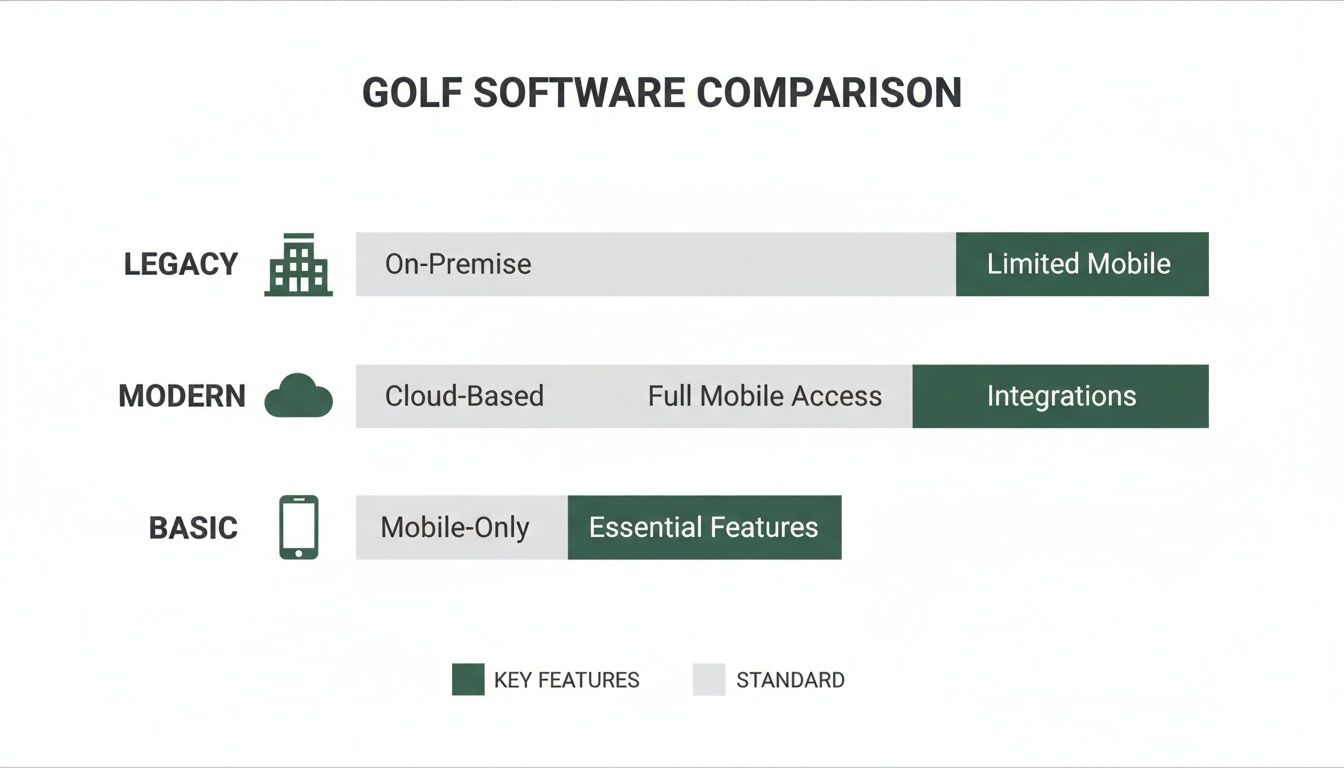
As you can see, Legacy systems are built for total control, Modern platforms are all about speed and simplicity, and Basic apps are designed for individual use. Your ideal solution depends on where your facility’s priorities land.
The Head Pro Juggling 50+ Member Events
Picture a busy Head Pro managing a packed calendar of member events—from the weekly ladies' nine-and-dine to the big annual Club Championship. Their biggest challenge is time. They can't afford to waste hours setting up every single event, and they certainly don't have time to train seasonal staff on a complicated system.
Best Fit: A Modern Web-Based Challenger (like Live Tourney).
Why It Works: These platforms are built for speed. With features like reusable event templates, a pro can get a weekly league or a shotgun start configured in less than 15 minutes. The intuitive, app-free scoring means members can jump right in without needing tech support, and the professional look of the leaderboards and printed materials makes the club look great.
For this user, the ROI isn't about a thousand features; it's about the hours saved every week. That's time that can be put back into player relationships, lessons, and other activities that actually generate revenue.
A clunky legacy system would be a nightmare in this high-volume environment. The setup time for each of the 50+ events would create a massive bottleneck, turning a simple task into a major project every single time.
The Charity Coordinator Focused on Simplicity and Sponsors
Now, think about a first-time charity event coordinator. Their goals are crystal clear: raise as much money as possible, give sponsors great visibility, and make sure every golfer has a fun, stress-free day. They aren't a golf pro and need a tool that's completely foolproof.
Best Fit: A Modern Web-Based Challenger.
Why It Works: Simplicity is key here. The coordinator needs to manage registrations, communicate with players, and display live leaderboards with prominent sponsor logos. A modern platform offers an easy-to-use registration page and a live scoring link that’s simple to share. The ability to feature sponsor logos directly on the live leaderboard is a huge value-add for supporters.
A simple, shareable platform also supports other key goals, like finding effective strategies to increase event attendance. When the process is easy for everyone, more people are likely to sign up and show up.
The Club Running a Competitive Multi-Week League
Finally, let's consider a club running a highly competitive, season-long match play or Ryder Cup-style league. The organizer needs robust format support, automatic standings updates, and the ability to handle complex scoring. Player engagement and accurate, real-time results are non-negotiable.
Best Fit: A Modern Web-Based Challenger or a Legacy Juggernaut.
Why It's a Toss-Up: This is where the decision gets a bit more nuanced. A modern platform like Live Tourney can easily handle multi-round events, complex formats like match play, and automated league standings. It offers the perfect blend of power and simplicity for most competitive leagues.
However, if your league has some truly obscure rules or requires deep integration with other club management systems, a legacy platform might be necessary. But that comes with a significant trade-off: you gain that niche function but sacrifice the speed and user-friendly experience that keeps players engaged. For 95% of leagues, a modern solution provides all the power you need without the headache.
Your Implementation Checklist for a Smooth Transition

Making the jump to new golf event software can feel like a huge project, but with a solid plan, it’s far less intimidating than it looks. The secret to a painless switch isn't just about the software you choose; it's about how you roll it out to your team and your golfers.
Modern, web-based systems are built to make this process easy, but a good checklist ensures nothing gets missed. Following a few simple steps will get your staff up to speed, your data moved over, and your players excited before the first big event even kicks off.
It’s all about building confidence and momentum with small, manageable wins.
Phase 1: Prepare Your Foundation
This first stage is all about getting your house in order before you run your first official event. A little prep work here prevents last-minute scrambles and ensures everything is ready to go when it’s time to launch.
Migrate Your Data: The most important first step is moving your player list. Export your master list from your old system or spreadsheets into a clean CSV file. Most modern platforms let you upload this file in one click, instantly populating your new software. This step alone can save dozens of hours over a season.
Set Up Event Templates: Don't reinvent the wheel every time. Pinpoint your most common events—a four-person scramble, a weekly league best ball, a club championship—and build them out as templates. This lets you launch new events in just a few minutes, keeping things consistent and saving your staff a ton of time.
This initial setup is a one-time investment that pays off all season long.
Phase 2: Run a Pilot Event
Before using the new software for a major corporate outing or your member-guest, run a small, low-stakes pilot event. Think a staff golf day or a casual nine-hole mixer. The goal is to let your team use the platform in a real-world setting without the pressure of a big tournament.
A pilot event is your secret weapon. It turns theoretical training into practical confidence and exposes any little operational kinks in a safe environment. It’s the difference between telling your staff how it works and letting them see it for themselves.
During this test run, have your team practice the basics: setting up pairings, printing scorecards, and entering a few scores. Let a couple of "test" players use the live scoring link to see how it feels from their perspective. This hands-on experience is way more valuable than reading a manual.
Phase 3: Empower Your Team and Players
With a successful pilot in the books, the final step is all about communication and training. Getting your staff comfortable and your players informed is key to a smooth transition.
Here’s a simple plan for getting everyone on board:
Create Simple Staff Guides: Forget the 50-page manual. Make a one-page "cheat sheet" with screenshots that covers the top 3-5 tasks they'll do most, like adding a walk-up player or editing a score.
Craft Pre-Event Player Communications: Send players an email the day before the event. Briefly explain the new live scoring process and include the direct link. Highlighting benefits like "no app download needed" and "see the leaderboard in real-time" will get them excited to use it.
Conduct a Post-Event Review: After your first major event, get the team together for a quick huddle. What worked? What could be smoother? This quick feedback loop helps you dial in your process for the next tournament.
By following this simple checklist, you frame the change as a positive step forward. The result is a seamless switch that makes life easier for your staff and creates a better experience for everyone on the course.
Got Questions About Golf Event Software? We've Got Answers.
Choosing the right software for your events often boils down to a few final, make-or-break questions. Let’s cut through the noise and tackle the common concerns we hear from course operators.
Getting these answers right is key to picking a platform that actually fits your operation and keeps your players happy.
What’s the Biggest Mistake Courses Make When Choosing Software?
Hands down, the biggest mistake is getting sold on a massive feature list instead of focusing on real-world usability. We’ve all seen it: a club buys a system that promises the world, only to find it's too clunky for staff and too confusing for players.
Forget the bells and whistles for a second. Ask yourself: how fast can my team set up an event? How easy is it for a 70-year-old member to enter a score? A simple platform that gets used every single time is infinitely more valuable than a complex one that sits on the shelf.
Don't forget that the number one metric for event planners is attendee satisfaction (93.5%). If your software forces players to download an app or creates any friction on the course, it's actively working against your main goal: a great experience.
How Long Should It Really Take to Set Up a Tournament?
With a modern platform, you should be able to get a standard four-person scramble ready to go in under 15 minutes. That includes everything from importing players and creating pairings to generating the live scoring link.
If you’re sitting through a demo and it takes an hour to get a simple event off the ground, that’s a major red flag. Imagine that time multiplied by dozens of events during your busy season—it adds up fast and becomes a serious drain on your staff.
Are App-Based or Web-Based Platforms Better for Golf Events?
For golf, web-based (or "app-free") is almost always the way to go. Why? Because it eliminates the single biggest roadblock to getting players on board: the app download. Players just click a link, and the leaderboard opens right in their phone’s browser. Simple as that.
Here's why that little difference is a huge deal:
More People Participate: It’s just easier to get everyone involved, from your tech-savvy junior members to your less-technical guests. No one gets left out.
No "IT Guy" on the First Tee: Your staff won’t be stuck troubleshooting App Store problems, forgotten passwords, or login issues when they should be running the event.
Instant Access for Everyone: Players can pull up scores and leaderboards from any phone or tablet with a browser. No need to install anything beforehand.
Can I Run a Competitive League with a Simple Platform?
Absolutely. You don't need an old-school, overly complicated system to manage a competitive league anymore. Modern event software is more than powerful enough to handle complex, multi-round leagues.
The trick is finding a platform built to handle different formats (like match play or round robin) and automatically track things like season-long points and standings. You get all the power you need without the complicated setup, which makes running the league way more efficient for your team.
Ready to see how a modern, app-free platform can save you time and make your events run smoother? Live Tourney makes tournament management effortless. See why top courses are switching to a simpler, faster solution. Get started with Live Tourney today and experience the difference for yourself.





