
Oct 8, 2026
sports league management software, league software, golf league software, tournament platform, organizer tools
Explore sports league management software: core features, organizer benefits, selection criteria, and tips for scaling clubs, golf leagues, and recreational

Friday afternoon, the tournament director's desk usually tells the truth. Registrations sit in one spreadsheet, payments in another, late additions arrive by text, and the person holding the latest handicap list is somewhere on the course. Meanwhile, players ask where the leaderboard is, volunteers compare conflicting pairings, and the head professional tries to turn separate records into one usable result.
That workflow can survive a small event, but it fails under repetition. Golf facilities hosted approximately 545 million rounds in 2024, the fifth consecutive year above 500 million rounds, according to the National Golf Foundation's industry overview. Sports league management software matters because organizers aren't managing isolated games. They're managing recurring registrations, payments, schedules, formats, scores, communications, and reports that must agree with one another.
Why Tournament Directors Are Switching Off Spreadsheets
A Friday scramble exposes every weak connection in an administrative process. Forty-seven roster entries might be recorded in a workbook, while two payment tabs show different totals. A volunteer texts a leaderboard to team captains, another volunteer updates a second copy, and the head pro searches a separate handicap system for information that should have been available before the first tee time.
The problem isn't the spreadsheet itself. Spreadsheets are useful for analysis, quick imports, and temporary planning. The problem is asking a spreadsheet to act as a registration database, payment ledger, pairing engine, scoring system, communications hub, and final reporting tool at the same time.
The same failure appears in a weekly club league, a charity outing, or a recreational circuit. Someone rekeys a player name, a refund disappears into an email thread, a schedule change reaches some participants but not others, and the published standings depend on which file was opened last.
The hidden cost is reconciliation
Tournament directors often measure software by visible features, but the lost time sits between features. Staff reconcile registration against payment, payment against attendance, attendance against pairings, pairings against scorecards, and scores against standings. Each handoff creates another opportunity for a duplicate, omission, or unauthorized edit.
Practical rule: If two people must manually compare records before publishing results, the platform hasn't closed the operational loop.
A proper system should give the team one authoritative event record. That record should connect participants, pairings, formats, scores, payouts, and standings while preserving who changed what and when. The aim isn't to eliminate human judgment. It's to stop humans from spending tournament day proving that separate files match.
What this guide helps you decide
The right purchase should answer practical questions. Can the club migrate without losing historical information? Can a volunteer score without training on a complicated app? Can finance staff process refunds without editing competition results? Can the director export clean records if the club changes vendors?
Those questions matter more than a long feature list. The sections below focus on the decisions that protect a season, from choosing the right platform type to testing permissions, integrations, rollout, and recovery before players arrive.
What Sports League Management Software Actually Does
Sports league management software is the operating layer between an organizer and a finished result. It collects participant information, turns that information into rosters and schedules, captures outcomes, calculates standings, communicates changes, and produces records that staff can use after the event.
A registration tool handles sign-ups. A payment processor handles transactions. A scheduling tool creates fixtures. A live-scoring product publishes results. A communications platform sends messages. Each can be useful, but buying several narrow tools doesn't automatically create one reliable process.
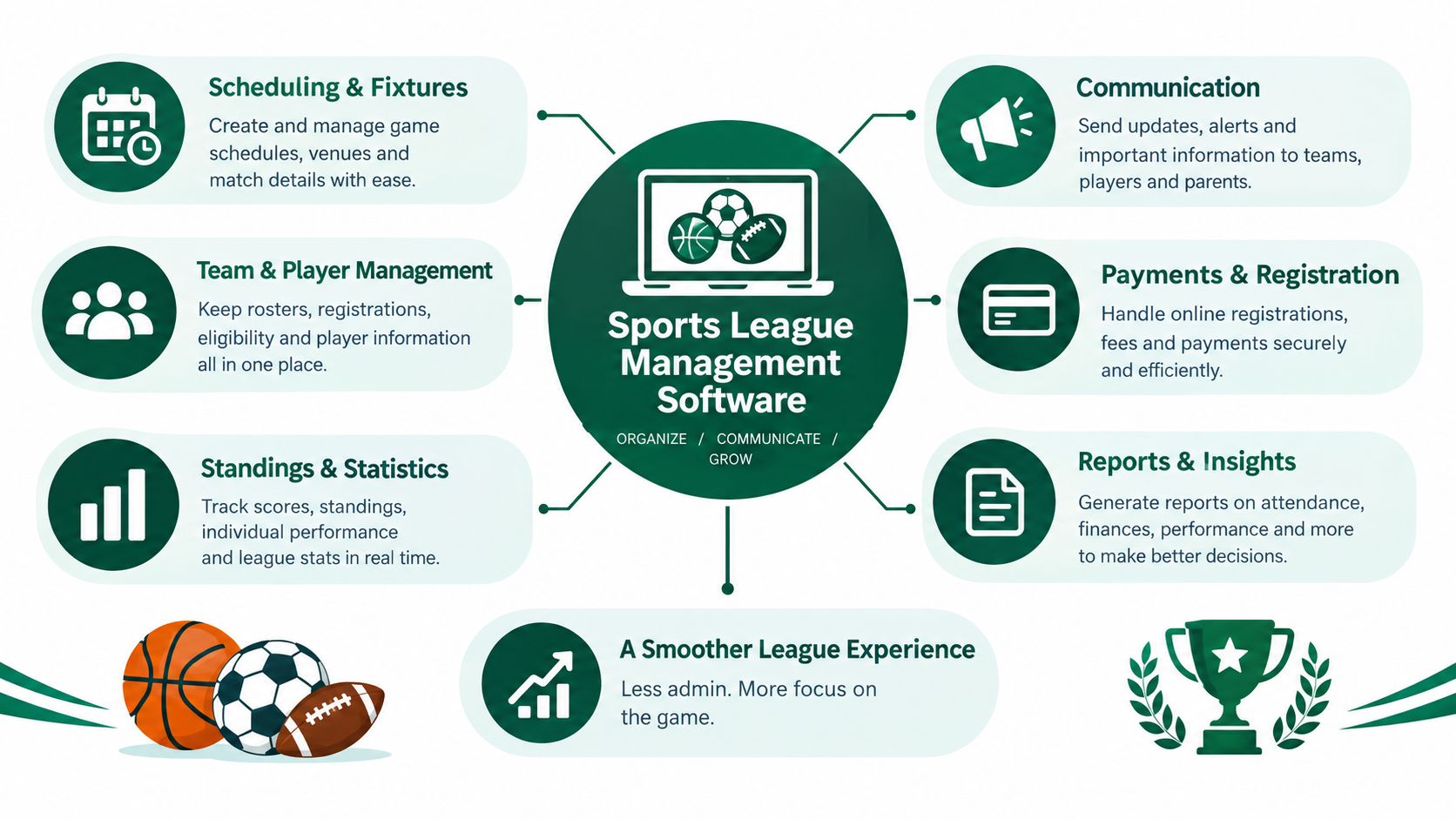
Look for the closed loop
The defining test is whether one action feeds the next without manual re-entry:
Registration creates the participant record.
The participant record feeds the roster and schedule.
Pairings or fixtures determine where results belong.
Validated results update standings.
Final standings feed reports, payouts, and communications.
That sequence is more important than whether a vendor labels a feature “automation.” If score capture and standings are disconnected, the organizer still has to reconcile them. If payments and registrations don't share an event record, the team still needs a separate ledger. If reports depend on a manually edited snapshot, the final result isn't fully traceable.
A useful comparison is choose social media management software. A serious communications platform connects content, audiences, publishing, and measurement rather than treating each post as an isolated task. League software should apply the same systems thinking to participants, events, and results.
The single-record test
Ask a vendor to show one participant moving through the complete workflow. Register that person, assign them to a roster, place them in a pairing, submit a score, adjust the result, issue a refund, and export the final record. Watch which steps happen automatically and which require a download, spreadsheet edit, or second login.
A full platform doesn't need to replace every system at the club. It does need clear ownership. The competition platform should remain authoritative for the records it manages, while integrations should move approved data to accounting, handicap, customer relationship management, or club-management systems without creating competing versions of the truth.
Core Features That Matter Most to Organizers
Start with the work, not the vendor menu. A useful platform should reduce rekeying, chasing, and reconciling across the complete operating cycle.
Register and build the roster
Registration should collect the information the event actually needs, including player details, team preferences, waivers, payment status, and relevant competition fields. Administrators should be able to upload an existing roster, identify duplicates, correct errors, and preserve a history of changes.
A good workflow prevents the common situation where one list contains the registered player, another contains the paid player, and a third contains the person who showed up. It should also support refunds and cancellations without deleting the underlying event history.
Schedule and communicate
Scheduling should handle pairings, tee sheets, fixtures, availability, and format rules from the same participant data. For a deeper operational comparison, review league scheduling software, especially the way scheduling decisions connect to rosters and event administration.
Communication belongs inside the workflow. Players need confirmations, schedule changes, payment reminders, and result updates that target the right group. Directors need a record of what was sent, to whom, and when. Browser access is valuable when volunteers and players won't install another app, but convenience must be paired with expiring access links, rate limits, and server-side validation.
Score the actual competition
Golf software must distinguish match play from stroke play. Under Rule 3 of the Rules of Golf, match play is decided hole by hole, while stroke play ranks competitors by total strokes and penalty strokes across the stipulated round or rounds. Gross and net scoring also require separate treatment.
That means the platform needs hole-by-hole match status, total-score rankings, gross and net leaderboards, playoff progression, and format-specific calculations. The USGA lists a 95% allowance for individual stroke play and 100% for individual match play when calculating Playing Handicap, so tournament software must apply the correct rule rather than rely on one generic percentage field. The USGA handicap allowance guidance is the standard to test against.
Net scoring must subtract applicable handicap strokes from gross scores, with hole-level allocation where required. In handicap match play, the lower net score wins the hole, and a match ends when one side leads by more holes than remain, as explained in the USGA handicap rules.
Report and reconcile
Reports should cover scorecards, tee sheets, cart signs, bag tags, payouts, payment status, and final standings without forcing staff to rebuild each document manually. Every score, payout, refund, and roster edit should have an audit trail.
For a small league, the essentials are simple registration, reliable scoring, and automatic standings. A high-volume operation shouldn't skip role-based permissions, exportable reports, and tested integrations.
Where League Software Pays Off in Real Use Cases
The same platform can support very different events, but only if the administrator configures the workflow around the people doing the work.
The weeknight golf league
A weekly league needs speed more than ceremony. The administrator imports or maintains the roster, confirms availability, generates pairings, and sends a group message when a tee time changes. Players enter results through a browser, and the system updates standings without a volunteer copying scores into a second file.
The useful stack is registration, recurring schedules, format-specific scoring, live standings, targeted communication, and a clean season report. The time savings come from removing repeated setup and manual result reconciliation, not from adding decorative dashboards. A practical overview of this workflow appears in golf league management software.
The charity or corporate outing
An outing has a different administrative shape. The organizer may need varied registration options, sponsor information, payment tracking, team assignments, custom reports, printable cart signs, and a polished leaderboard for participants who aren't regular league members.
Here, the platform must keep sponsor and player information attached to the event while allowing staff to produce operational documents quickly. Finance staff should see transaction status and refunds without gaining permission to alter competition results. Organizers researching media, registration, and club-event workflows can also review EventUploader use cases for examples of how sports organizations structure event information.
The junior camp or association program
Youth events raise the standard for governance. Registration should include waivers and parental consent, while staff access should limit sensitive information to people who need it. Scorekeepers may need competition access without seeing payment records, and volunteers shouldn't automatically receive unrestricted roster visibility.
Juniors aged 6 to 17 represented 13% of on-course golfers in 2024, with junior participation up 48% since 2019, according to NGF data reported by Foremost Golfer. That audience growth makes safeguarding a core operating requirement, not an optional add-on. Test restricted rosters, consent records, deletion procedures, and staff permissions before the first camp opens.
Tournament Platforms Versus General League Platforms
Dedicated tournament platforms and broader league platforms solve different primary problems. Choosing between them starts with identifying which job creates the most operational risk.
A tournament-first product is built around competition logic. It typically prioritizes pairings, hole-by-hole scoring, match status, live leaderboards, side games, payouts, and event reports. That makes it a strong fit when registrations, member records, and payments already live in a club-management system.
A broader league platform treats the season as the main object. It connects registration, rosters, recurring schedules, communications, payments, results, and reporting. That model suits a club that wants one record for members and competitions rather than a specialist scoring tool attached to several external systems.
Use this rule of thumb
Choose dedicated tournament software when scoring is the dominant job and registrations live elsewhere. Choose a broader league platform when the club wants one connected workflow from registration through final reporting.
Some products span both categories. Don't reward them for having more buttons. Ask whether a registration change updates the roster, whether a roster change affects pairings, whether a score change updates the correct standings, and whether the final result exports cleanly.
Event frequency matters too. A club running occasional competitions may prefer a focused tournament tool with low setup friction. A recurring league with multiple administrators, payment cycles, and participant groups needs stronger identity, permissions, migration, and reporting controls. The right choice is the one that matches the operational center of gravity.
How to Evaluate and Select the Right Platform
Treat selection as risk management. A committee isn't choosing a dashboard for a demonstration. It's choosing the system staff, volunteers, players, and finance teams will rely on when information changes quickly.
A 2024 market analysis found 31% of organizations reported data-protection challenges and 28% cited child-protection compliance as adoption barriers, with smaller clubs facing disproportionate compliance-cost pressure, according to FitGap's sports league management software analysis. Those risks belong in the first vendor meeting, not in a policy review after purchase.
Take this checklist into the demo
Criterion | What to ask | Why it matters |
|---|---|---|
Data portability | Can we export rosters, scores, payments, waivers, and historical results in usable formats? | You need an exit path and a reliable backup. |
Permissions | Can scorekeepers edit scores without viewing payments, and can finance staff process refunds without changing results? | Separate duties reduce accidental and unauthorized changes. |
Audit trails | Does every score, roster, payout, and refund change show the user, timestamp, and prior value? | Staff can investigate disputes instead of guessing. |
Integrations | Which systems connect with the tee sheet, point of sale, handicap, accounting, and CRM tools? | Clear ownership prevents duplicate records. |
Security | Where does payment-card data remain, and how are access links protected? | The platform should minimize sensitive data exposure. |
Support | Who responds during a live event, and what happens when an integration fails? | Tournament-day support is part of the product. |
Recovery | What are the backup, recovery, and export procedures? | A technical incident shouldn't erase the season's history. |
Ask for a live test, not a slide deck. Create a participant, change a handicap field, submit a score, reverse a payment, and export the result. If the representative avoids the difficult workflow, treat that as evidence.
Implementation Tips That Protect Your Season
A platform switch is an operations project. The safest rollout is deliberately boring: test it before the event that matters most.
A 2025 survey of 134 golf-club managers found 66% were exploring alternative software, while implementation time, training, and adjustment periods remained major reasons clubs hesitated to switch, as reported in Golf Genius Software's survey discussion. The answer isn't to avoid change. It's to control the change.
Roll out in sequence
Choose a low-stakes pilot. Use an event with a manageable roster and a clear scoring format.
Run both systems in parallel. Keep the existing process as a fallback while comparing registration, pairings, scores, payments, and final reports.
Set the cutover date. Decide when the new platform becomes authoritative and tell every administrator.
Define rollback rules. Agree in advance what failure would trigger a return to the old workflow.
Train by role. Give scorekeepers, finance staff, directors, and volunteers only the permissions and tasks they need.
Communicate in short messages. Tell players where to register, how to score, how to find results, and whom to contact.
For registration with payment, document the player-facing path and test failed transactions, refunds, duplicate submissions, and confirmation messages. A useful reference point is this event registration form with payment workflow.
Measure the season honestly
After the season, compare setup time, reconciliation hours, scoring corrections, refund disputes, support requests, and player participation in live scoring. Also ask volunteers which steps felt easier and which still required workarounds.
Live Tourney is one browser-based option for golf operators that combines league setup, roster management, registrations, payments, real-time scoring, standings, reports, and formats including match play, Ryder Cup, and round robin, with player access that doesn't require an app download. Test it against the same migration, permission, scoring, and export checklist as every other candidate.
Live Tourney gives golf courses and organizers browser-based tools for registrations, payments, rosters, schedules, live scoring, standings, and event reports without requiring player app downloads. Visit Live Tourney to test whether its workflow can replace your spreadsheets and reduce the reconciliation work before your next league or tournament.





