
Jul 7, 2026
screen stream mirroring, live leaderboards, wireless display, event technology, golf tournament tech
Learn what screen stream mirroring is and how to use it. Our guide covers protocols, setup, and tips for displaying live leaderboards at your events.

You're probably trying to solve a familiar tournament-day problem. Scores are coming in, players want to know where they stand, and someone in the shop or clubhouse is stuck refreshing a laptop or updating a printed sheet that's out of date the moment it goes on the wall.
That gap matters more than people think. A live display changes the energy of an event. Players gather around the TV. Staff stop answering the same “Who's leading?” question over and over. Sponsors get a cleaner presentation. The whole operation feels more current, even if the underlying setup is surprisingly simple.
The Modern Way to Showcase Live Event Data
A golf event used to rely on one of three display methods. Printed sheets. A laptop placed awkwardly on a counter. Or a dedicated AV setup that felt too expensive and too fragile for a one-day tournament.
None of those options are great when scores change all day.
Screen stream mirroring fixes that with a much more practical approach. You keep the leaderboard on a phone, tablet, or laptop, then wirelessly send that live view to a clubhouse TV, a banquet-room display, or a screen near scoring. The display updates as the source updates. No runner. No manual rewrite. No waiting for the round to finish before the room can see what happened.
That's a big reason the technology has moved into the mainstream. The screen mirroring apps market is valued at approximately USD 4.5 billion in 2024 and is projected to reach USD 10.8 billion by 2033, with Smart TVs and Displays accounting for nearly 38%–42% of market share, which tells you where real-world adoption is happening.
Why clubs are moving away from old display methods
Printed boards still work for ceremonial moments. They don't work well for fast-moving scoring.
A modern live display gives you:
Immediate visibility: Staff and guests can see standings without asking for an update.
A more polished event feel: One TV with a clean leaderboard often looks better than a complicated custom setup.
Less staff friction: Someone doesn't have to babysit the board every few minutes.
Flexible placement: You can show the same event data in the grill room, near registration, or at awards.
If your event needs a bigger production layer, such as sponsor screens, multiple displays, or mixed media, it also helps to understand how live display setups fit into broader event workflows. A good example is London Audio Visual Hire's event streaming expertise, which shows how professional AV teams think about reliable display delivery in live environments.
For golf events specifically, its core value is simple. You're not trying to build a broadcast studio. You're trying to put a clean, readable, always-current leaderboard where players will readily see it. A strong scoreboard for golf tournament display strategy usually starts there.
A live leaderboard on a TV does more than show data. It changes how the event feels in the room.
Understanding Screen Mirroring vs Screen Casting
These two terms get mixed up all the time, and that confusion causes bad setups.
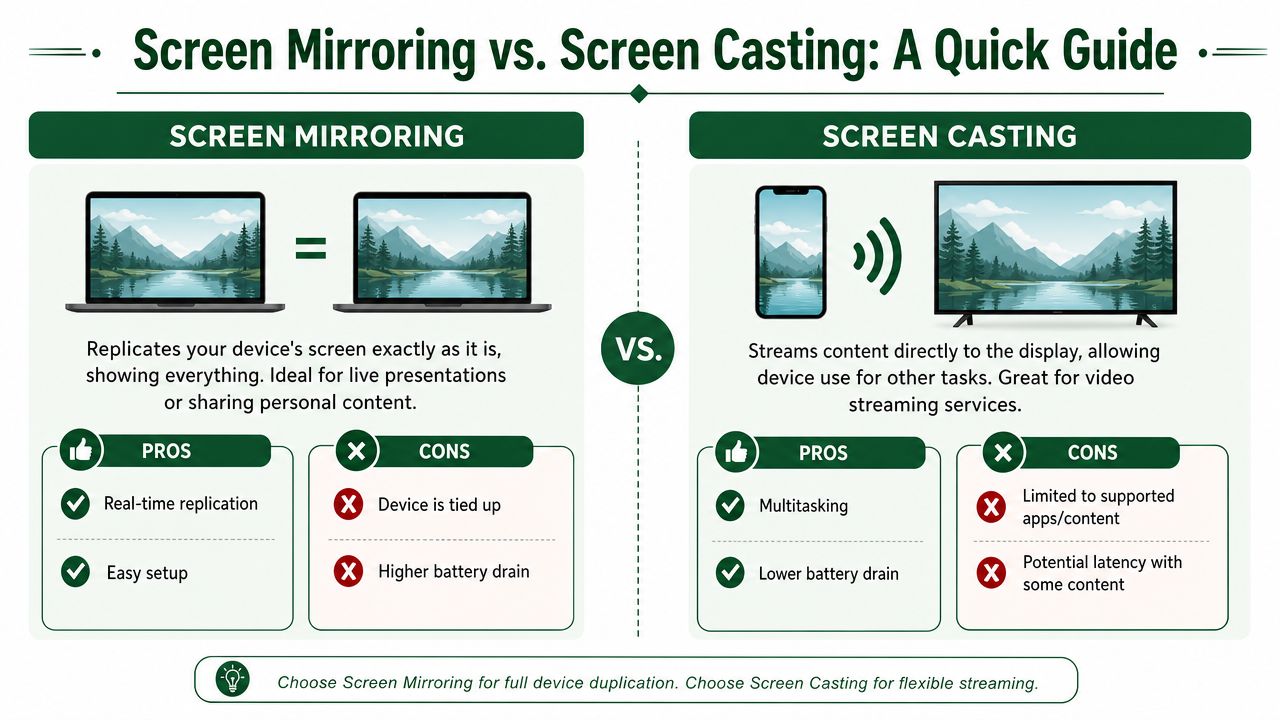
Screen mirroring means the big screen shows the same thing that's on your device. Open a leaderboard in a browser on your laptop, and the TV shows that exact browser window. Change tabs, and the TV changes too. It acts like a wireless second copy of your screen.
Screen casting is different. Casting sends specific content, usually from a supported app, to the TV so the TV plays it directly. Your device becomes more like a remote control.
The simplest way to think about it
Mirroring is a digital projector.
Casting is sending a video file to the TV.
That difference matters a lot in tournament operations because a live leaderboard usually lives in a browser tab, admin dashboard, or scoring page. You need the display to reflect that page exactly as staff see it. That's a mirroring job.
A Mersive explanation of screen mirroring, screen casting, and screen sharing notes that 68% of users attempting to mirror their screen for live events incorrectly use casting apps, which is one reason setups fail when people expect real-time duplication.
When mirroring is the right call
Use mirroring when you need to show:
A live leaderboard in a browser
A pairings or tee sheet page
A scoring admin dashboard
A slideshow, rules page, or sponsor screen controlled from one device
Mirroring is usually the better fit if someone on staff is actively controlling what appears on the screen.
When casting makes more sense
Casting works better for content like:
YouTube highlight clips
Music playlists
A supported video app on a Smart TV
Media that should keep playing while you use your phone for something else
That's useful in the clubhouse, but it's not the same as showing tournament operations data.
Practical rule: If the TV must show exactly what's on your laptop or tablet, use mirroring. If the TV only needs to play a supported video or audio stream, casting may be easier.
The trade-off most people discover too late
Mirroring ties up the source device. If you mirror your phone and then open text messages, everyone sees that. If you mirror a laptop and switch away from the leaderboard, the display switches too.
That doesn't mean mirroring is bad. It means you should choose the source device deliberately. For events, a dedicated laptop or tablet is often cleaner than using your personal phone.
Choosing Your Wireless Display Technology
Once you know you need mirroring, the next question is which wireless path makes sense for your equipment. Most clubs don't need a deep protocol lesson. They need a practical answer to one question: what will work with the TV we already own and the devices our staff already use?
The most common choices are AirPlay, Google Cast, and Miracast. There are also app-based tools that can send a mirrored screen through protocols such as RTSP, HTTP, and WebRTC, and some solutions also support UPnP/DLNA for Smart TVs and Google Cast. That's what makes modern setups adaptable across different screens and receivers without turning the clubhouse into an IT lab, as shown on Mobzapp's screen streaming platform pages.
Screen Mirroring Technology Comparison
Technology | Primary Devices | How It Works | Best For |
|---|---|---|---|
AirPlay | iPhone, iPad, Mac, some Smart TVs, Apple TV | Sends screen or media from Apple devices to an AirPlay-compatible receiver | Clubs that already use Apple hardware |
Google Cast | Android devices, Chrome browser, Chromecast, some Smart TVs | Sends supported content or browser-based display to Cast-enabled screens | Mixed casual use, especially with Google-friendly devices |
Miracast | Many Windows PCs, some Android devices, some Smart TVs and adapters | Creates a direct wireless display connection for screen duplication | Straight screen mirroring from Windows or compatible Android hardware |
What usually works best in real golf settings
If the shop runs on Macs, iPads, or iPhones, AirPlay is often the least painful route. Staff can connect quickly, and newer TVs may already support it.
If you're using Chrome on a laptop and already have a Chromecast or Google TV in the room, Google Cast can be convenient, especially for browser content. But remember the difference from the prior section. Casting a browser tab isn't always the same experience as mirroring the full device.
If your event laptop is Windows-based and the display supports it, Miracast is often the most direct “make the TV show my screen” option.
A practical buying decision
When clubs ask what to purchase, I usually break it into three scenarios:
You already have a newer Smart TV: Check what's built in first. Many modern displays already support one or more wireless methods.
You have mixed devices coming from staff and guests: A receiver that supports multiple standards is safer than forcing everyone into one ecosystem.
You want the least moving parts: A small dedicated receiver connected to one clubhouse TV is easier to manage than asking people to guess which mode the TV is in each week.
Don't choose based on brand names alone. Choose based on the device your staff will actually use at 6:30 a.m. before a shotgun start.
The decision filter that keeps setup simple
Ask these four questions:
What device will control the leaderboard most often?
Laptop, iPad, or phone?What display do you already own?
Smart TV, projector, or older TV with an HDMI port and dongle?Will different people need to connect during the event?
If yes, compatibility matters more than elegance.Do you need full-screen duplication or just app playback?
If it's a live leaderboard, full-screen duplication is usually the safer bet.
For most golf operations, the winning setup isn't the fanciest one. It's the one your assistant pro can reconnect in under a minute when the banquet captain accidentally changes the TV input.
How Screen Stream Mirroring Works in Practice
A tournament morning is a bad time to guess how mirroring works. The TV in the grille room needs to show the live board, the starter wants the same view outside, and scores are still changing. If staff know the few parts involved, they can fix problems fast instead of poking through menus.
The source device controls the experience
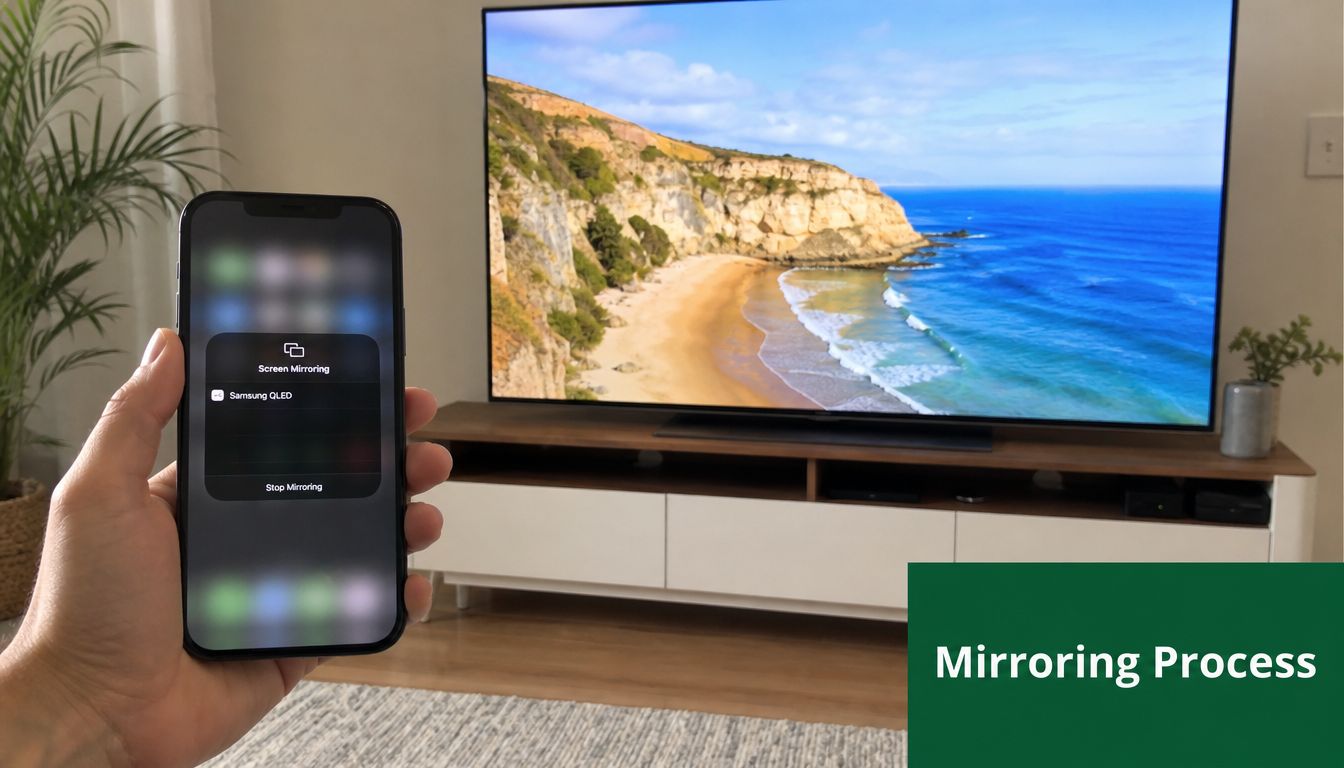
The source is the phone, tablet, or laptop running your leaderboard, scoring page, or event dashboard. Whatever appears there is what the TV will show.
For golf events, a laptop is usually the safer choice. It gives staff a larger screen, easier browser control, and fewer accidental taps. If you are running a golf tournament scoring app and want the clubhouse display to stay readable from across the room, that extra control matters.
The trade-off is simple. Phones are convenient. Laptops are easier to manage for a four- or five-hour event.
The network decides whether the display feels reliable
Mirroring only looks professional if the connection stays stable. If the Wi-Fi is weak, crowded, or inconsistent, the screen can freeze, lag behind scoring updates, or disconnect right when players walk in to check the board.
That is why setup matters more than brand names here. Keep the source device on dependable Wi-Fi. Avoid shifting between networks during the event. Put the source close enough to the access point that it is not fighting through walls and kitchen equipment.
Clubs that already treat connectivity as part of operations usually have fewer mirroring headaches. The same planning mindset behind small business communication solutions applies here too. Stable systems come from predictable network behavior, not last-minute improvising.
The display receives the picture and puts it on the big screen
The receiving side might be a Smart TV, Apple TV, Chromecast, Miracast receiver, or another compatible display device. Its job is straightforward. It accepts the feed from the source and shows it with as little delay as possible.
In practice, the flow looks like this:
Open the live leaderboard on the source device.
Start screen mirroring and select the correct display.
Keep the source awake and connected.
Let the display show the same screen for players, guests, and staff.
If one part breaks, check those parts in order. Start with the source. Then check the network. Then check the display. That order solves a lot of “the TV stopped working” moments without wasting ten minutes on the wrong device.
What event staff need to watch during play
The weak points are usually operational, not technical.
Someone closes the laptop lid. A tablet joins the guest network instead of the staff network. The TV input gets changed for a lunch presentation. Those are the failures I see more often than true hardware problems.
Good mirroring setups stay simple on purpose. One source device. One display destination. One person on staff who knows what the correct screen should look like. That is how you keep a live leaderboard visible and dependable from the first tee time through scoring wrap-up.
Putting It All Together A Live Leaderboard Example
The most useful golf application for screen stream mirroring is straightforward. Put a live leaderboard on a clubhouse TV so players, guests, and staff can follow the event without crowding around one laptop.
That setup sounds technical. In practice, it's usually just a browser, a TV, and a wireless connection.

A simple clubhouse setup
Here's a practical version that works well for many events:
Use a laptop as the source device
Open your scoring platform in a browser and go directly to the live leaderboard page. A laptop is usually better than a phone because the display is easier to size and easier for staff to manage.Connect the laptop to the clubhouse TV wirelessly
Use the TV's built-in mirroring feature or a receiver such as Apple TV, Chromecast, or another compatible device.Set the browser view for readability
Full-screen mode helps. So does increasing browser zoom if names or scores look too small from across the room.Place the laptop where staff can monitor it
You don't want someone bumping it, sleeping the device, or closing the lid by accident.Leave the leaderboard page active
A mirrored display only looks professional if the source device stays focused on the right page.
Why this works better than old scoring displays
The biggest improvement isn't just visual. It's operational.
A live mirrored leaderboard removes the need for one person to manually relay scores to a board in the shop. It also lets the room react to movement in real time. If a team jumps up the standings, the display reflects it as soon as the scoring page updates.
That's especially effective when players can submit scores with minimal friction. Live Tourney's live scoring workflow overview notes that requiring an app download creates a barrier, while QR code-based web scoring bypasses that friction and dramatically increases mobile scoring engagement.
A few small choices make a big difference
The clubs that get this right usually do a few basic things well:
Use one device only for the display: Don't mirror from the same laptop someone is using for email and POS tasks.
Check screen sleep settings before play starts: If the laptop goes dark, the display may freeze.
Test readability from the back of the room: Staff often judge the screen from five feet away. Players won't.
Keep the page clean: Browser tabs, desktop notifications, and unrelated windows break the effect.
A live leaderboard doesn't need a complicated AV rack to look good. It needs a stable source, a readable layout, and a screen where people naturally gather.
Where this fits in the player experience
There's a reason live scoring feels different from a static board. Players don't just want final results. They want movement. They want context. They want to know whether the last hole changed the flight, the skins race, or the overall lead.
That's the same reason modern fans respond to live shot-by-shot updates and dynamic scoring displays in larger tournament environments. On a local course, you don't need all the production layers. You just need the right information visible at the right moment.
If you're evaluating software options for that scoring side of the experience, it's worth reviewing what a modern golf tournament scoring app should make easier for staff and players.
Troubleshooting Common Mirroring Issues
The pressure point usually shows up 20 minutes before players come off the course. Staff can see scores updating on the laptop, but the TV in the clubhouse starts stuttering, disappears from the device list, or crops the leaderboard so tightly that the names at the edges are unreadable.
That kind of failure feels bigger than it is. In practice, mirroring issues during a golf event usually come down to one of three things: unstable wireless performance, device discovery problems, or a display layout that was never adjusted for public viewing.
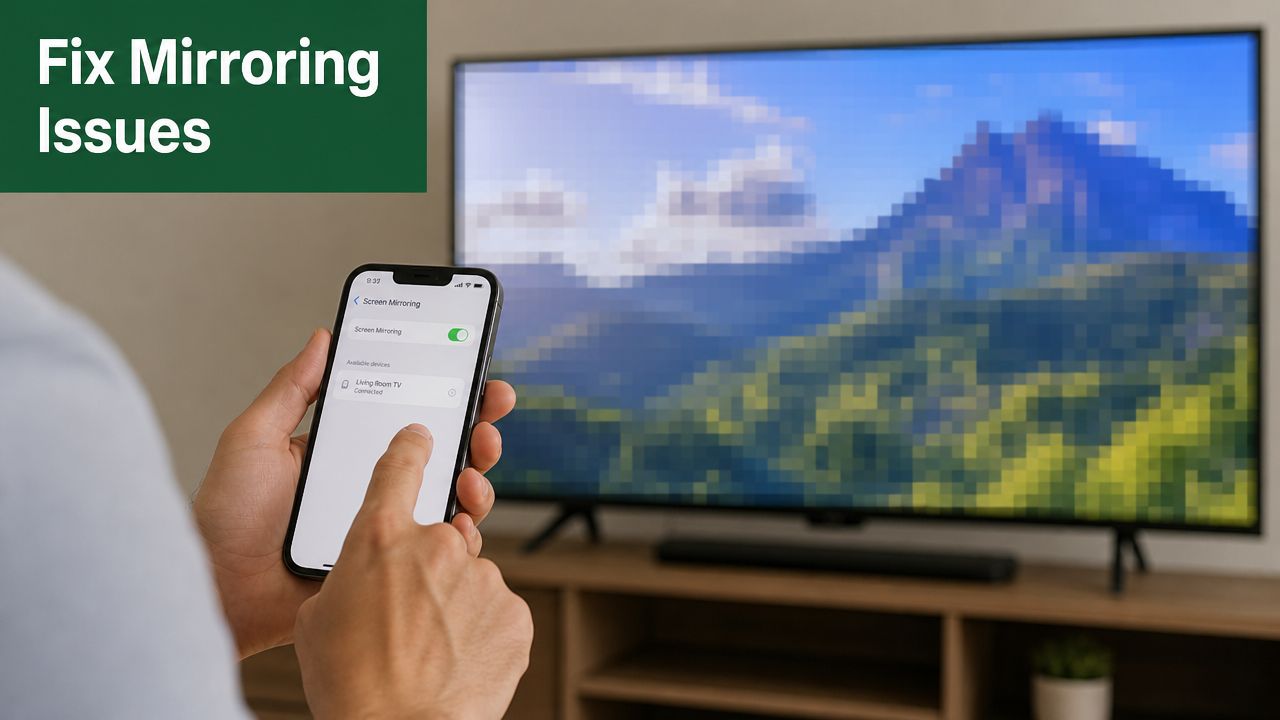
The display is laggy or choppy
For a live leaderboard, lag usually points to network strain. The display does not need cinema-quality motion. It needs reliable updates that stay readable from across the room.
Start with the fixes that reduce load fast:
Lower the resolution: 720p is often plenty for leaderboard screens.
Reduce frame rate if the app allows it: Scoreboards change in bursts, not constant motion.
Move the source device closer to the router or access point: Walls and distance can weaken performance fast.
Avoid crowded guest Wi-Fi if you can: A network full of player phones will compete with your display traffic.
If the board updates cleanly after those changes, keep the simpler settings. Event screens should favor stability over visual polish.
The TV doesn't appear as a device
This usually means the devices are not seeing each other correctly, or they are trying to use different display standards.
Check these basics in order:
Confirm both devices are on the same network
Make sure the TV or receiver is on the correct input and has mirroring enabled
Restart the source device and the display
Verify that the sender and receiver support the same protocol
I have seen this come down to one small miss, like a TV left on the cable box input after morning setup. Staff often assume the network failed when the issue is one setting on the screen.
The image is cut off or hard to read
That is usually a formatting problem, not a mirroring problem. The feed may be working fine, but the screen was never tuned for people standing 20 feet away with a drink in one hand and half their attention on the board.
A few quick adjustments make a big difference:
Use browser zoom before changing the full display resolution
Turn on full-screen mode in the browser
Check TV picture settings for overscan and aspect ratio issues
Remove extra columns or visual clutter if the board feels crowded
If you want a broader reference for making on-screen information easier to scan from a distance, this guide to effective dashboard design is useful because many of the same readability rules apply to tournament boards.
Clean data beats dense data on a public screen. If players cannot read positions, scores, and movement at a glance, the layout needs work before the network does.
The setup keeps failing at the worst time
Repeated failures usually mean the process is loose. Different laptop, different Wi-Fi, different browser tab, different staff member. That is how a setup that worked during testing falls apart during the shotgun rush.
The fix is operational. Pick one source device, one network, one display workflow, and write it down for staff. If your team sometimes falls back to a cable because wireless isn't cooperating, keep a practical screen mirroring HDMI backup plan ready so the live leaderboard stays visible even when wireless acts up.
If you want a simpler way to power live golf leaderboards, real-time scoring, and app-free player participation, take a look at Live Tourney. It gives courses and tournament organizers a web-based system that works cleanly with the kind of live display setup covered here, so your staff can spend less time managing score updates and more time running a great event.





