Oct 2, 2026
player registration form, golf tournament software, event registration, tournament management, golf course operations
Learn how to build a seamless player registration form for golf tournaments. Discover essential fields, mobile optimization tips, and automation strategies.

You're standing in the clubhouse with a foursome waiting to register, a phone ringing at the pro shop, and three players asking where they should send their checks. One golfer has forgotten a shirt size, another has entered a teammate's email incorrectly, and someone has written a dietary restriction in the margin of a paper form.
That kind of morning rarely starts on tournament day. It starts when the player registration form asks for too much, works poorly on a phone, or sends information into a spreadsheet nobody has time to clean. A better form makes the first interaction with your event feel organized, accessible, and ready for play.
Building a High-Converting Player Registration Form
A traditional golf tournament registration process creates work in several places at once. Players print a form, complete it by hand, mail it with a check, or send details through a chain of emails. At the course, staff manually enter names into spreadsheets, confirm each player, match teammates, and chase missing information before pairings can be built. Golf registration form guidance describes this older offline pattern and the move toward structured digital submissions with participant details, waivers, payments, and automated notifications.
The problem isn't only the paper. Fragmented registration makes it harder to know which version of the roster is current. A player may update a teammate by email while the pro shop is still working from yesterday's spreadsheet. A check may arrive without a complete form, while a completed form may arrive without a reliable payment reference.
A well-built digital form gives every player one path through registration. The organizer receives a structured submission containing the information needed for communication, eligibility, event logistics, and payment follow-up. Integrations with spreadsheets, email automation, and instant notifications can keep that information moving without requiring staff to retype every entry.
Start with the operational outcome
Before adding a field, decide what staff will do with the answer. If the response won't affect a tee sheet, pairing, meal order, player communication, waiver record, payment, or on-site service, it probably doesn't belong in the first step.
That discipline creates a shorter form and a cleaner roster. It also gives players confidence that the event isn't collecting personal information without a clear purpose.
Practical rule: Every field should answer a real operational question. If nobody on the tournament team uses the answer, remove the question.
Email quality deserves special attention because an incorrect address can prevent confirmations, payment receipts, schedule updates, and last-minute notices from reaching the golfer. An Email Validation API can be considered when your workflow needs to check submitted addresses before relying on them for event communication.
The form is the foundation of the event, not a disposable signup page. Get the foundation right, and the pro shop starts tournament week with usable records instead of a pile of corrections.
Essential Fields for Player Data and Event Preferences
A golf tournament form should collect enough information to run the event, but not so much that players postpone registration. Build the form in layers, beginning with identity and communication, then adding only the preferences your staff will use.
Begin with the player record
Make these fields required unless your event has a specific reason to handle them differently:
Full name: Use separate first-name and last-name fields when your scoring or reporting system sorts players by surname.
Email address: Send the confirmation, receipt, schedule, and any changes to this address.
Phone number: Keep a direct contact method available for urgent tournament communication.
Mailing address: Include it when you need to send materials or prizes, but don't require it merely because an old paper form included it.
For team entries, add a clear registration choice such as individual player or team submission. A foursome entry may need the captain's contact information, teammate names, and teammate email addresses. Golf tournament entry form examples identify full name, phone, email, and team-related contact details as core information for communicating with participants and managing group entries.
Keep the team workflow easy to understand. If the captain is registering the whole group, don't force every teammate to complete a duplicate form before the team can submit. If each golfer must accept an individual waiver, collect the captain's team information first, then give teammates a simple follow-up path.
Add only useful event preferences
Event-specific questions can improve service, but they can also turn a quick signup into an administrative interview. Add shirt size, meal choice, dietary restrictions, cart or rental-club preferences, and tee-time or format preferences only when the answer changes what your team orders, schedules, or prepares. Golf tournament registration guidance makes the same practical distinction, particularly for events that use tee times rather than a shotgun start.
Use conditional questions wherever possible. A player who selects “individual” shouldn't see team-captain fields. Someone who declines a meal shouldn't have to choose a meal type. For a detailed template structure, organizers can review this golf tournament registration form template.
Participation volumes can make consistency especially important. Industry coverage citing 2024 youth-sports data reports that 65% of youth ages 6 to 17 tried sports, described as the highest level since 2012, which helps illustrate why standardized registration matters across leagues and events. Sports registration software coverage also discusses how registration data can support participation tracking and pathway management.
Optimizing Forms for Mobile and Accessibility
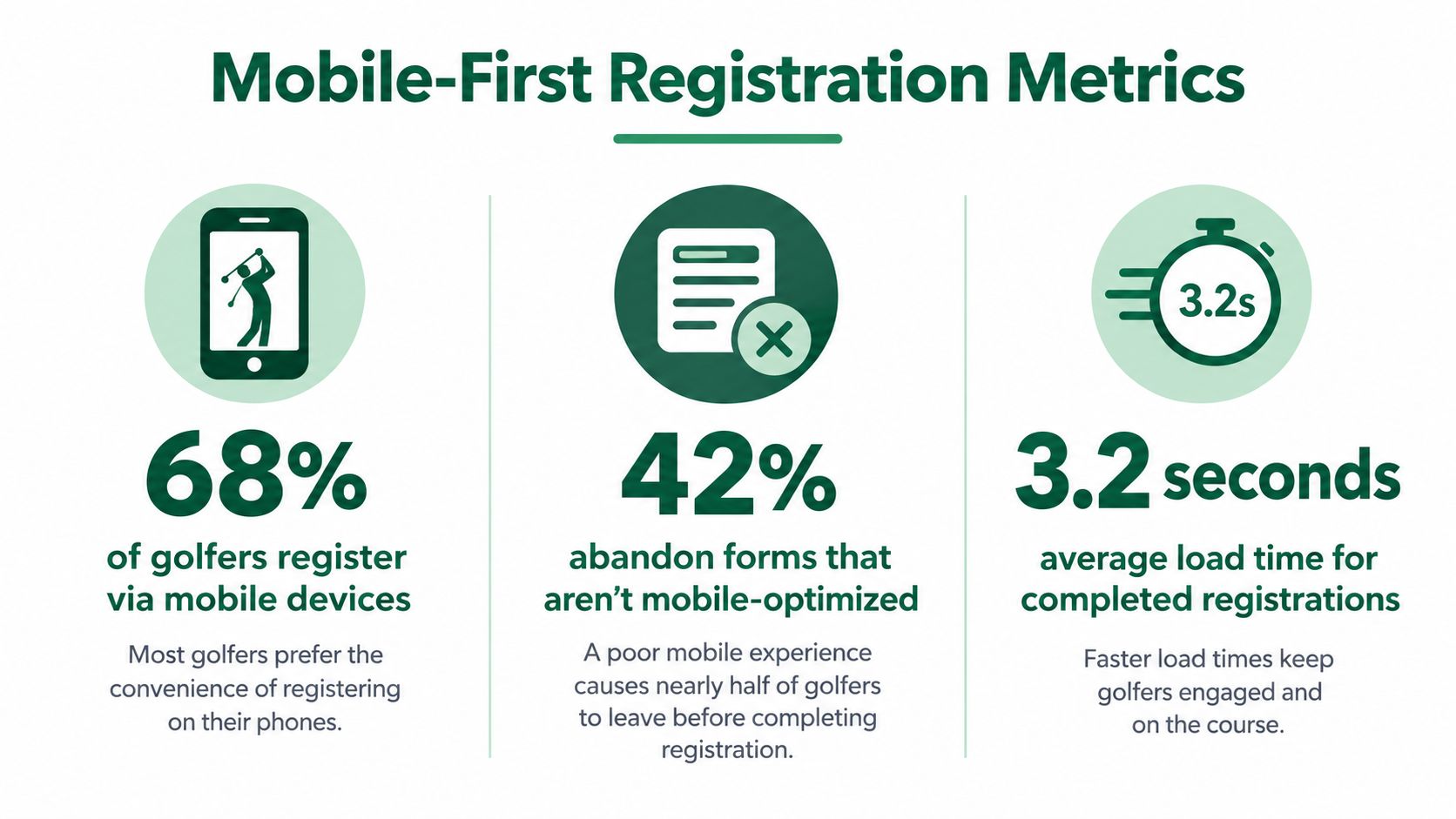
A golfer may register from a clubhouse chair, the driving range, a car park, or the gap between two activities. The phone is often the most convenient device, so design the player registration form for a narrow screen first. Desktop presentation should be the adaptation, not the starting point.
Benchmark data across 93 million sessions found an average form completion rate of 51.7%, with 55% of starters abandoning before submission. The same form statistics benchmark reports 47.5% completion on mobile compared with 55.5% on desktop, a gap of roughly eight percentage points that gives tournament organizers a clear reason to test the phone experience before launch.
Remove friction before adding polish
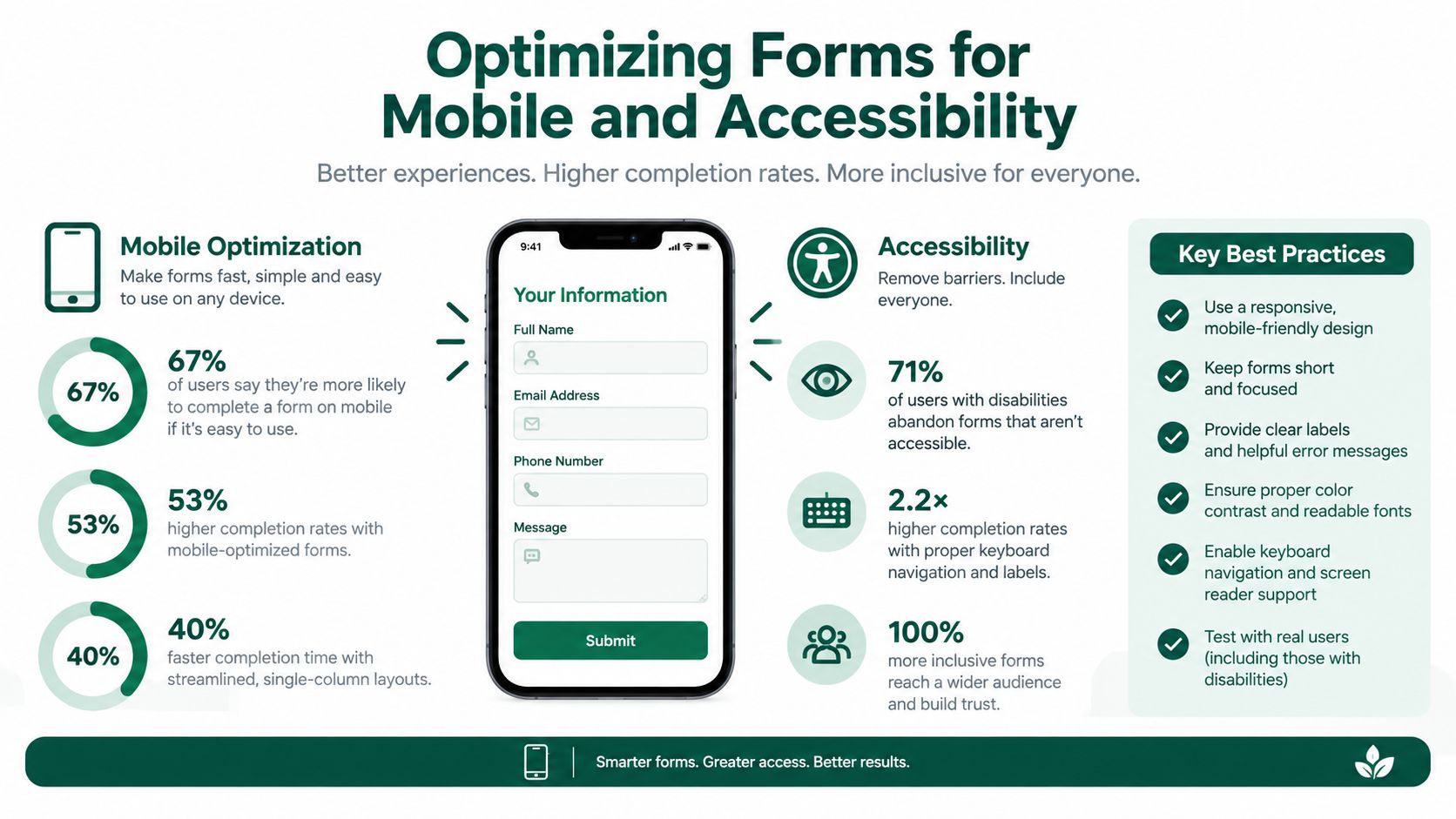
A mobile form should open quickly, show one logical question at a time, and avoid unnecessary scrolling. Use large tap targets, visible field labels, sensible keyboard types, and inline validation that explains a mistake beside the relevant field.
Don't hide the meaning of a field inside placeholder text. Once a player starts typing, the instruction disappears. Keep labels visible, and write error messages in plain language, such as “Enter a valid email address” rather than a technical validation code.
Registration research summarized by online form conversion data identifies security concerns as a reason for 29% of abandonment, form length as a reason for 27%, and unnecessary questions as a reason for 10%. The same source reports that reducing a form from four fields to three has been associated with nearly a 50% lift in conversion, while traditional CAPTCHAs can reduce conversions by up to 40%. Those figures point toward a short form with proportionate anti-spam protection, not a long questionnaire guarded by a difficult puzzle.
Accessibility belongs in the build
Accessibility isn't a separate technical task to postpone after the tournament page goes live. The form should work with screen readers, preserve a logical reading order, support keyboard navigation, and provide labels that remain available while players enter information. Avoid mouse-only controls and make sure focus states are visible.
Registration form accessibility guidance emphasizes practical improvements such as responsive layouts, screen-reader usability, and avoiding placeholder-only labels. For golfers using assistive technology, these details determine whether registration is possible without another person's help.
Test the entire journey on a small phone, using one hand and a slower connection. Ask a staff member to complete it without knowing the intended flow. If they hesitate over a question, lose their place, or can't tell whether submission succeeded, players will face the same problem.
Integrating Payments and Automating Confirmations
A registration isn't operationally complete when a golfer clicks Submit. Staff still need to know whether the entry fee was paid, which player or team the payment belongs to, and what information the participant should receive next.
Start by defining the payment rules before connecting a gateway. Decide whether the form accepts individual entries, team entries, add-ons, or a combination. If your event offers an early-bird price, establish the eligibility condition and closing point in the form logic. If players can purchase mulligans, lunch tickets, rental clubs, or other extras, display each option with a clear description and include it in the payment summary.
Match payment logic to registration logic
A team captain may pay for several golfers, while individual players may submit their own fees. Your system should make that distinction visible in both the form and the transaction record. The confirmation should identify the registrant, team name if applicable, selected extras, and total paid without making staff interpret a free-text note.
Keep the payment step on the same trusted flow whenever possible. Sending players from a form to a separate payment page, then asking them to email proof of payment, creates avoidable reconciliation work. If a payment fails, show the player what happened and give them a clear way to retry without creating a duplicate registration.
Make confirmation emails do useful work
The first automated email should confirm that the submission was received. A second message isn't always necessary if the initial confirmation can include the receipt, event date, arrival instructions, dress expectations, parking information, practice-round details, and a contact route for corrections.
Use dynamic fields so the message reflects the player's actual registration. A team captain should receive team-related instructions, while an individual golfer should see the individual path. Payment status should also be clear, especially when an entry is saved before payment is completed.
The best confirmation email answers the questions a player would otherwise send to the pro shop.
A registration platform with payment support can connect these steps in one workflow. For a practical example of combining an event form with online payment, see this event registration form with payment guide. Before launch, submit a test registration, complete a successful payment, trigger a failed payment, and verify every email on a phone. Check that staff can identify the transaction without opening multiple systems.
Managing Waivers, Privacy, and Consent
Paper waivers create a familiar tournament-day bottleneck. Players arrive expecting to check in, discover that a liability release is missing, and fill it out at the counter while the next group waits. Staff then have to store, sort, and verify documents that could have been completed before arrival.
Embedding waivers directly into the player registration form is the cleaner approach. The player sees the relevant terms during signup, confirms acceptance, and submits the consent record with the rest of the registration. That gives organizers a more reliable record and removes a separate paper chase from the morning schedule.
Separate agreement types clearly
Don't bury every legal document in one dense paragraph. Present the liability waiver, privacy notice, media release, medical acknowledgment, and other agreements as distinct items when they serve different purposes. Use plain-language summaries beside links to the full documents, and make clear which consent is required to participate and which is optional.
A checkbox should represent an active decision, not a preselected assumption. Store the version of the agreement, the date of acceptance, and the player or captain associated with the submission. If teammates must accept individually, don't treat a captain's acceptance as automatic consent for every golfer.
A waiver that nobody can read isn't a streamlined waiver. Keep the decision clear, the text accessible, and the record traceable.
Privacy questions deserve the same care. Ask only for information the tournament needs, explain why sensitive details are collected, and limit access to staff who use those details. Medical or emergency information should not appear in a public roster or an export intended for scorecards.
Accessibility matters here as much as it does for contact fields. The consent controls must have readable labels, work with keyboard navigation and screen readers, and remain understandable on a phone. Don't make a player zoom, pinch, or hunt through a crowded page to find the required agreement.
Digital consent also improves exception handling. If a player changes a dietary response, team assignment, or contact detail, staff can work from the current record rather than comparing a fresh paper signature against an older spreadsheet. The result is a calmer check-in process and a clearer responsibility trail for the facility and event committee.
Launching and Tracking Your Tournament Roster
A finished form still needs a disciplined launch. Put the registration link where golfers already look for event information, including the tournament page, email newsletter, club communications, and social posts. Use one primary link so every submission enters the same roster instead of splitting across separate forms and inboxes.
Before promoting it, complete the form as a player. Check the phone layout, required fields, payment path, confirmation message, waiver controls, and team-entry logic. Then ask someone who wasn't involved in building it to register. Fresh eyes usually find confusing labels and hidden assumptions faster than the organizer who knows every answer.
Treat the roster as a working system
Monitor registrations from a central dashboard rather than downloading a new spreadsheet after every email. Staff should be able to identify paid and unpaid entries, incomplete submissions, team gaps, waitlisted players, cancellations, and substitutions without rebuilding the roster manually.
A useful roster view separates operational states:
Ready to schedule: The player or team has submitted the required information and completed payment or approval.
Needs attention: A field, waiver, payment, or teammate detail still requires follow-up.
Waitlisted: The entry is recorded but isn't yet assigned a place in the event.
Changed after registration: The player has requested a substitution, correction, or team update.
Export clean, structured data into your tournament management software only after those exceptions are resolved. Pairings, tee sheets, scorecards, cart signs, bag tags, and payout records all depend on consistent names and team relationships. A duplicate player or misspelled surname can move from the registration form into every downstream document.
For charity events, the charity golf tournament registration guide provides useful context for organizing participant information around the wider event workflow. The central lesson is simple: registration data should continue working after signup. It should help staff build the roster, communicate changes, prepare the course, and welcome players without asking them to repeat information.
A mobile-first player registration form sets that process in motion before anyone reaches the first tee. When the data is complete, accessible, paid, and organized, the tournament feels professional because the staff aren't spending the morning repairing the signup system.
Live Tourney provides web-based event registration, configurable custom questions, paid sign-ups, waitlists, roster management, dynamic emails, and tournament tools that work on any device without an app download. Visit Live Tourney to see how you can connect player registration with pairings, tee sheets, scoring, and event administration in one workflow.